A trade show display workflow turns the exhibition brief into an approved, buildable and operable stand. Define the visitor activity and assigned space, review the layout, specify materials, coordinate delivery and installation, then check the completed display before opening. These five steps are a planning framework; deadlines and approvals depend on the actual event and supplier scope.
Adam Expo Stand provides custom and modular exhibition stand services for exhibitors in Europe. Discuss the design, graphics, construction, logistics and installation scope for your event, and request itemised inclusions and exclusions. This guide describes planning checks rather than promising a particular commercial result.
The AUMA trade fair briefing guidance offers a reference for sharing participation plans and responsibilities. Use the actual event documents and supplier specification for technical decisions.
Table of Contents
- Step 1: Define Exhibition Goals And Display Requirements
- Step 2: Design Booth Layout And Visualize In 3D
- Step 3: Select Materials And Customize Modular Components
- Step 4: Coordinate On-Site Assembly And Logistics
- Step 5: Verify Functionality And Brand Consistency
Quick Summary
| Key Point | Explanation |
|---|---|
| 1. Define Clear Exhibition Goals | Define the visitor activity, capacity, review method and approval owner. |
| 2. Visualize Booth Layout in 3D | Review dimensioned plans and views; confirm technical checks and event approvals separately. |
| 3. Choose Practical, Modular Materials | Compare the supplied specification, reuse plan, packing, repair and evidence for material claims. |
| 4. Create a Detailed Logistics Plan | Use actual organiser deadlines, supplier lead times, delivery slots and assigned responsibilities. |
| 5. Verify Functionality and Brand Consistency | Check against approved files and specifications, test equipment and record unresolved issues. |
Step 1: Define exhibition goals and display requirements
Start with the product explanation, demonstration, meeting or other activity the stand needs to support. Identify the relevant visitor roles and what a useful next step would be. Select display features for that brief instead of assuming that attention or footfall will produce qualified opportunities.
Record the main objective and how it will be reviewed. For example, a demonstration brief could define the task shown, staff required, session capacity and what counts as a completed demonstration. Set targets using the available resources and comparable event experience, and label estimates as assumptions. There is no universal number of goals or required lead target.
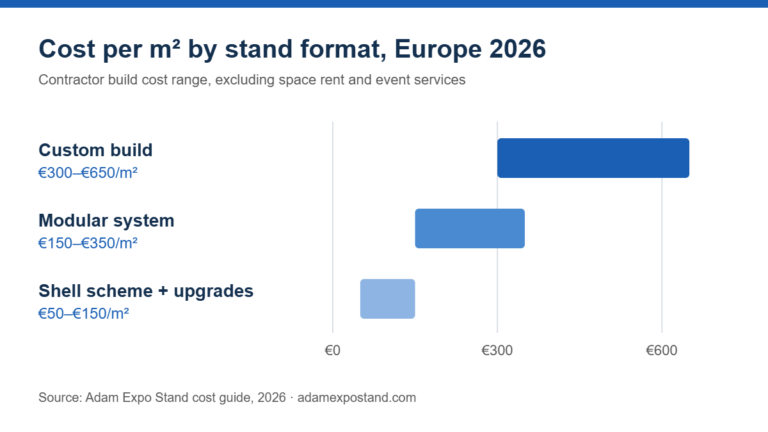
Obtain the assigned space plan and organiser requirements for boundaries, open sides, height, services and access. Give the designer the product dimensions, equipment, staff positions, storage needs and activity capacity. Include construction or rental, graphics, logistics, labour, venue services and tax treatment in the budget scope. Use the booth design checklist to review the layout before approval.
Ask the product team to verify demonstration content, the sales team to explain common visitor questions and the marketing team to approve the message and graphics. Assign an owner to each decision. Record unanswered questions and assumptions so they can be resolved before production.
Here’s a comparison of common trade show booth goals and how they influence display strategies:
| Goal Type | Display Requirements | Operating Check |
|---|---|---|
| Product Conversations | A product display and suitable discussion space | Define relevant questions and requested next steps |
| Message Recognition | Readable graphics and an accessible layout | Check the message from actual approach directions |
| Product Demonstrations | Equipment, operator and activity space | Set session capacity, queues and a fallback |
| Recruitment Conversations | Suitable information and discussion space | Use the exhibitor’s existing recruitment process |
Pro tip: Keep one version of the brief with the objective, assigned plan, equipment, cost scope, owners and deadlines. Check every requested change against it before approving additional work.
Step 2: Design booth layout and visualize in 3D
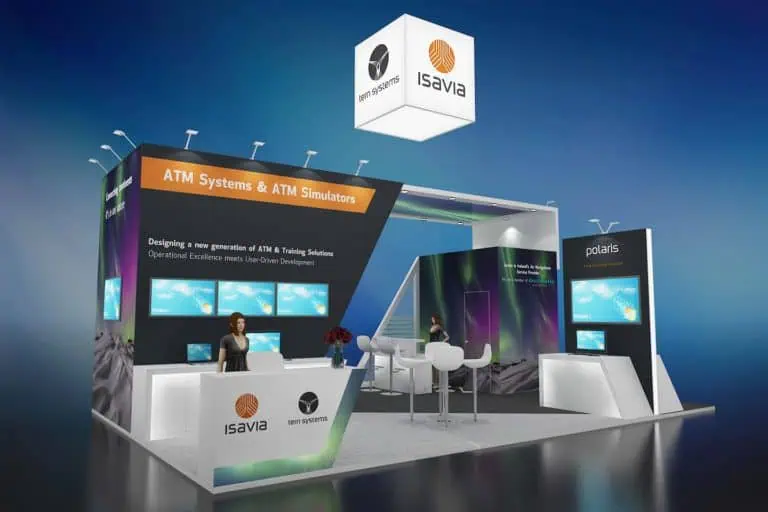
Use a dimensioned floor plan and suitable views to review the design. A 3D rendering can help the team understand shapes, graphics and sightlines, but it does not replace engineering, organiser approval or a physical equipment test. Agree which drawings and specifications the supplier needs for production.
Map entry, product viewing, demonstrations, meetings, staff workspace and storage within the allocated space. Include waiting visitors and staff breaks. Review graphics from the likely aisle approaches and check reach, seated viewing and glare where relevant. Use actual equipment dimensions rather than assuming a rendering proves comfortable access or sufficient capacity.
The design package should identify dimensions, materials, graphic files, equipment locations and service requirements. Discuss cable routes, power and network needs with the supplier and relevant specialists. A model can show proposed equipment positions; it cannot establish wireless coverage, electrical suitability or operating performance without separate checks.
Review the proposed design with Adam Expo Stand against the agreed brief. Ask what drawings, material samples and revisions are included in the quote, who approves them and which organiser submissions are required. Record changes and obtain the necessary approvals before fabrication.
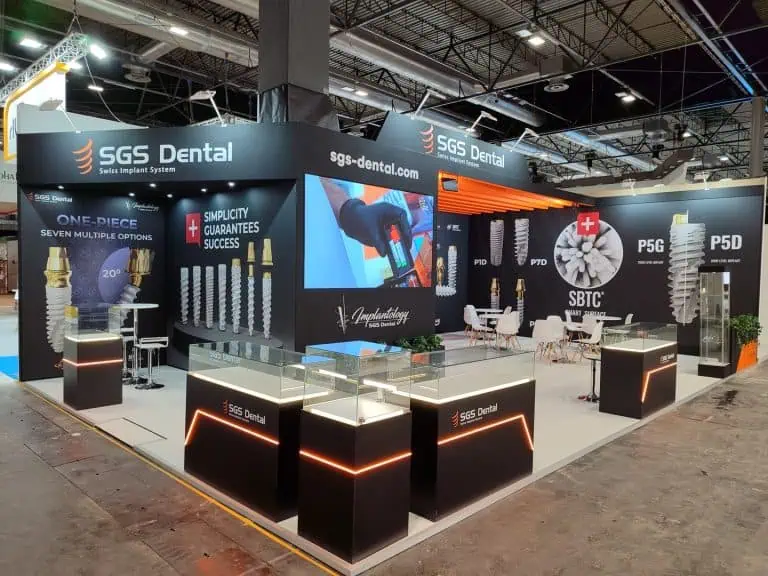
Use review stages with clear owners: concept, dimensioned layout, material and graphic specification, then approval for production. Keep an issue list and record the version being approved. Stand design approaches can help compare options, while the project specification governs the actual build.
Pro tip: Ask someone unfamiliar with the product to explain what the proposed display communicates. Review any confusion with the team, then check the practical layout and specification separately.
Step 3: Select materials and customize modular components
Specify materials and components for the planned display and event calendar. Compare loading, finish, packing, transport, installation, maintenance and end-of-use arrangements. Material names alone do not establish durability, assembly time, cost savings or environmental performance.
For reuse, list the planned stand sizes, locations and graphic changes. Ask which components fit those layouts and what storage, repair, transport and installation each use requires. Compare the full scope for rental, reusable and custom options rather than assuming that the same system fits every event.
Ask the supplier for a material and component specification. Confirm dimensions, finishes, fixings, approved documentation and the components actually included. Request evidence for recycled-content, certification or environmental claims about the supplied product; do not infer those claims from a material category or a promotional description.
Test graphics on the proposed substrate and review colour, readability, finish and durability for the intended use. Have equipment mounting, loading, ventilation and electrical needs assessed for the actual construction. Agree repair, graphic replacement and end-of-use arrangements before production.
Compare component dimensions against both the current plan and intended future layouts. Include joints, supports, graphic fitting and packing limits. Request samples and instructions, and test the proposed demonstration counter with the equipment and staff who will use it. Height and module size need review against event restrictions and practical access.
Agree who installs, checks, dismantles and packs the components, and what training or tools are required. Record the inventory, ownership, condition and return arrangements. Modular rental planning can support the comparison; assess itemised costs rather than treating reuse as an automatic saving.
Use these specification questions when comparing material options:
| Material | Specification Check | Logistics Check | Evidence and End-of-Use Check |
|---|---|---|---|
| Aluminium Frame and Fabric | Graphic finish and fitting method | Packing dimensions, fixings and trained installation | Evidence for supplied components and actual reuse plan |
| Wood or Composite Panels | Finish, loading and graphic application | Weight, handling, documentation and repair | Verify any certification or content claim for the supplied product |
| Rigid Graphic Panels | Print sample, finish and readability | Protection, fitting, replacements and packing | Confirm the substrate and actual recovery arrangements |
| Graphics with Environmental Claims | Approve a sample and defined specification | Check suitability, durability and removal requirements | Request evidence and applicable end-of-use conditions |
Pro tip: Approve a graphic sample on the actual substrate under suitable lighting. Record the file version, finish and acceptance decision so production follows the agreed specification.
Step 4: Coordinate on-site assembly and logistics
Prepare the logistics plan alongside the design, rather than waiting until construction is complete. Delivery restrictions, service orders and installation access can affect the specification and sequence. Work backwards from the organiser’s actual deadlines and supplier lead times.
List each shipment, dimensions, weight, handling requirements, destination, delivery slot and receiving owner. Confirm vehicle access, unloading arrangements, installation permissions and the supplier’s staffing plan. For cross-border movements, ask the logistics provider which documents are required for the actual goods and route. Allocate recovery time for the identified risks instead of applying a universal eight-week timetable.
Confirm the project responsibilities in the supplier agreement. Identify who handles packing, delivery coordination, venue liaison, installation, technical services and dismantling. Ask what support and escalation arrangements are included. No universal contingency percentage or guaranteed problem-resolution time applies to every project.
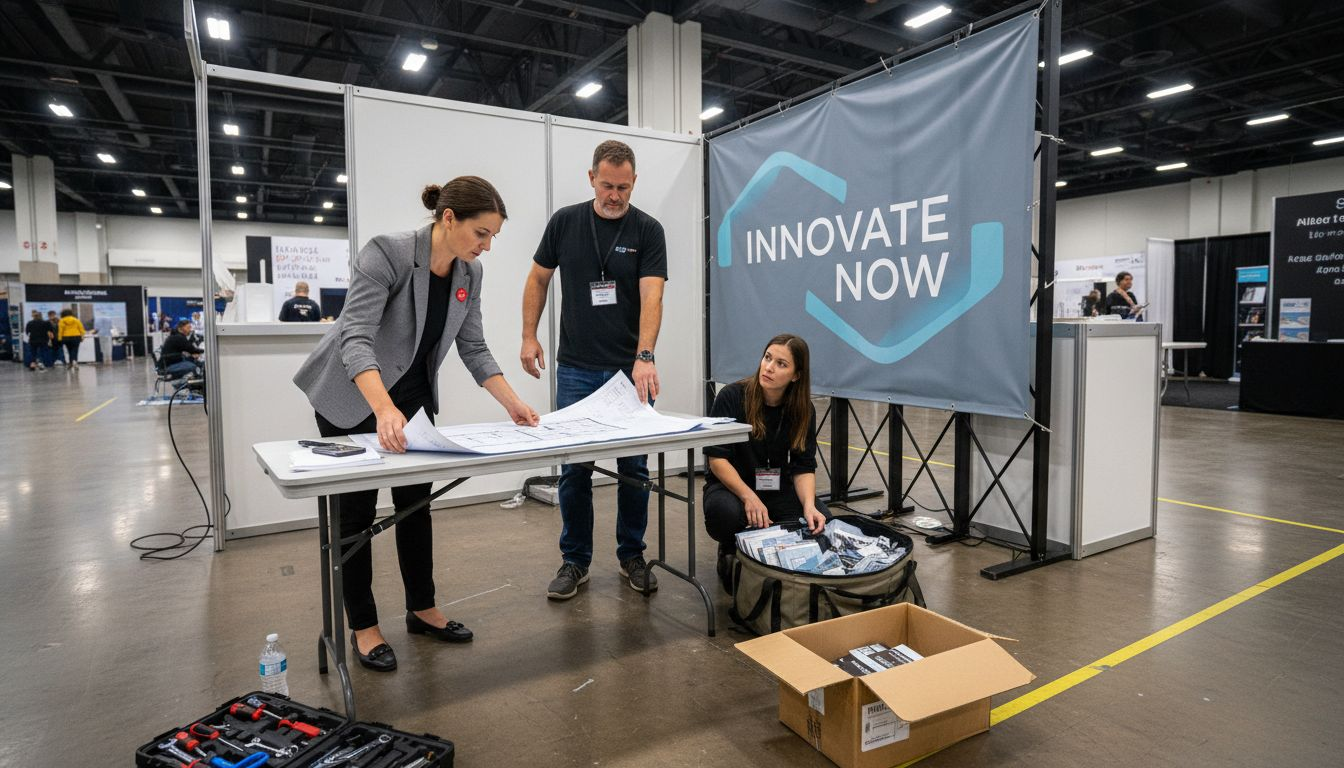
Share the current schedule, layout, packing list and responsibilities with the team. Confirm the locations and specifications of booked services, and test the approved demonstration equipment before shipment. Decide who reports missing or damaged items and who can authorise changes. Include return collection, packing, storage and waste responsibilities in the same plan.
At delivery, check the shipment against the packing list and record damage or shortages. During installation, use agreed progress checks and escalate technical concerns to the appropriate specialist. Arrange the handover within the permitted access period; arrival and acceptance times depend on the event and build scope.
Pro tip: With permission where needed, record component labels, packing and connections during installation and dismantling. Store those records with the supplier instructions for future use.
Step 5: Verify functionality and brand consistency
Before opening, complete an acceptance walk-through against the approved specification. Review the graphics, finishes, product mounts, access, lighting and demonstration equipment. Record outstanding issues, their owners and the action required before affected equipment or areas are used.
Agree the acceptance checklist and support arrangements before installation. Ask which checks the supplier performs and which need the exhibitor, AV provider, venue or another specialist. Confirm the process for reporting and resolving issues during the event.
Test demonstrations using approved content, including startup, normal operation and recovery from failure. Check screen readability, sound and device access under actual conditions. Confirm the booked network works for the intended activity and provide a tested offline alternative. Electrical, structural and mounting concerns need assessment by the responsible specialist.
Compare graphics and finishes with the approved files, samples and brand guidelines. Check logos, spelling, product information, colour, typography and readability from relevant viewing positions. Record discrepancies and agreed corrections. Consistency should follow the approved hierarchy; every headline does not need identical size or styling.
Ask product, marketing and show-floor staff to review their parts of the acceptance checklist. Confirm the demonstration is accurate, the main message is understandable and staff know the operating and escalation plan. Record unresolved issues rather than assuming every item has passed. Assess operating concerns before using the affected area or equipment.
Pro tip: Plan time for checking the completed display under its operating lighting, with the equipment and staff in place. Agree who records acceptance and follows up any unresolved items.
Prepare the Supplier Scope and Approval Plan
Prepare a supplier brief with the event, assigned plan, visitor activity, product dimensions, equipment, material preferences, reuse calendar and budget scope. Agree the approval stages and organiser deadlines before committing to production.
At Adam Expo Stand, discuss custom or modular stand services against that brief. Request a quote identifying drawings, graphics, construction, equipment integration, transport, installation, dismantling and any exclusions. Check organiser services and specialist responsibilities separately.
Use the existing inquiry route to discuss the project and confirm the proposed scope, schedule and acceptance process. Evaluate the display against its operating requirements and review commercial outcomes after the event; the design does not guarantee a particular result.
Frequently Asked Questions
What are the first steps to take when planning a trade show display?
Define the intended visitor activity, relevant audience and review method. Confirm the assigned space, organiser requirements, equipment, staff, budget scope and approval owners. Use those details to brief the supplier.
How can I effectively design the layout for my trade show booth?
Use a dimensioned plan and suitable visualisations to review entry, circulation, activity capacity, staff space and storage. Include actual equipment sizes. A 3D view supports design review but does not replace engineering, event approval or physical testing.
What types of materials should I consider for my trade show display?
Compare the proposed materials by loading, finish, graphic quality, packing, installation, repair and end-of-use arrangements. Request evidence for claims about the supplied product and approve a sample before production.
How do I coordinate on-site assembly for my booth?
Work backwards from confirmed delivery, access, submission and service-order deadlines. Assign owners for packing, receiving, installation, technical services and return collection. Share the current plan and escalation arrangements with the team.
What should I check to ensure my booth functions properly at the event?
Check the stand against the approved design and graphic files. Test the demonstration, lighting, sound and network under operating conditions, with a fallback. Record unresolved items and involve the responsible specialist for technical concerns.
How can I maximize my brand impact during a trade show?
Use a clear product message and an activity relevant to the visitor’s needs. Brief staff, keep access clear and count agreed activities consistently. Review later meetings, opportunities and sales separately rather than assuming attention establishes business value.
Recommended
- Exhibition Stand Planning in Madrid
- Choosing a Stand Design Approach
- Exhibition Stand Costs and Scope Checks
- Booth Management: Roles, Logistics and Checks
Follow our exhibition planning guides
Choose Adam Expo Stand as a preferred source to help you find our exhibition guides and updates on Google.
Add as a preferred source on GoogleGoogle may ask you to sign in and confirm your choice.