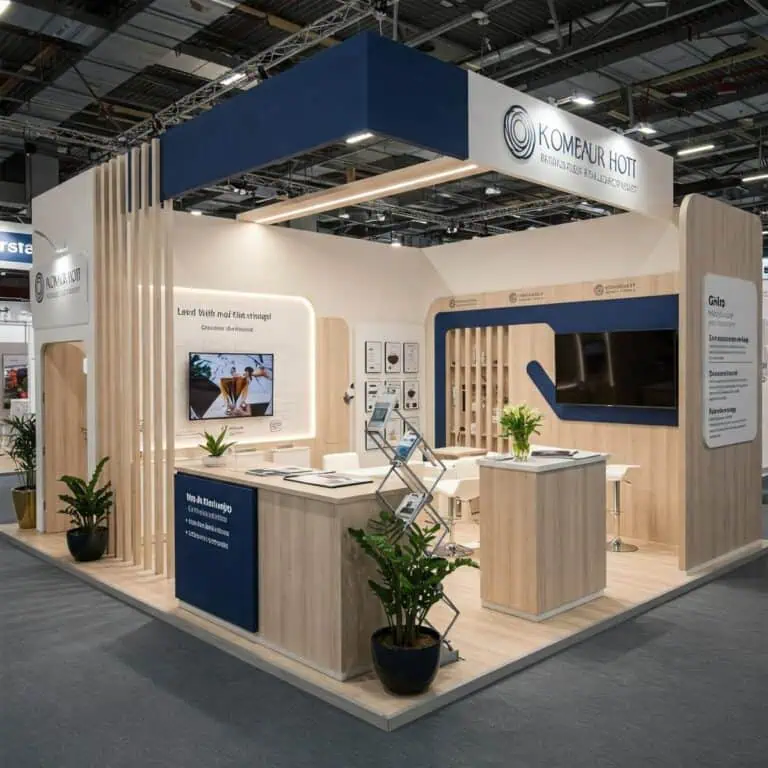
A SIMA exhibition stand should help people understand the property or service on offer and reach the right conversation. Plan project displays, models, screens and meeting capacity around the audience you intend to serve. Confirm the participation package and current event instructions, then coordinate content approval, services, installation and follow-up within a complete, agreed budget.
SIMA exhibition stand planning for 2027
The SIMA organiser announces the next edition for 26–29 May 2027 at IFEMA Madrid. Its platform comprises SIMA EXPO, SIMA INVEST, SIMAPRO and SIMA TECH. Confirm the area you are joining and its applicable dates and access conditions rather than assuming all parts operate identically.
SIMA EXPO presents residential property and related services to buyers, investors and professionals. Decide which audience your stand is intended to serve. A household comparing homes, a distribution partner and a professional reviewing a service need different information and staff support.
The visitor information page currently retains practical details explicitly labelled SIMA 2026 beneath a 2027 heading. Do not carry its previous hall and opening hours into a 2027 delivery plan. Request the applicable exhibitor information for the confirmed booking.
Start with the conversation, then the floor plan
Write down what the team should help a visitor do: compare locations, understand a development, examine a floor plan, discuss a professional service or arrange a later appointment. Select one clear initial message and a route into more detailed information. A crowded list of developments can make it difficult to identify the relevant starting point.
Estimate the number of conversations you can actually staff at once. Include the people needed to welcome visitors, present information and manage scheduled meetings. Draw occupied chairs, open storage and the space around a model or touchscreen. Choose meeting capacity from that working layout rather than reserving an arbitrary percentage of the stand.
Where private discussions are expected, provide an appropriate setting and an alternative appointment process when it is occupied. Keep confidential documents and personal information away from public screens and unattended counters. Staff should know when to move a detailed conversation to the appropriate specialist.
Choose property presentation tools deliberately
| Presentation tool | Useful task | What to settle in the brief |
|---|---|---|
| Location map | Orient a visitor and compare the relevant areas | Accurate labels, viewing distance and a matching reference sheet |
| Development model | Discuss the overall arrangement and selected features | Scale, support, transport, viewing space and protective handling |
| Floor-plan display | Compare clearly identified layouts | Version, readable dimensions and staff access to supporting information |
| Project screen | Explain a development or demonstrate a service | Approved content, viewing position, services and offline copy |
| Interactive or virtual tour | Explore a defined route or example | Operator, queue space, accessible alternative and demonstration reset |
| Meeting point | Review a relevant enquiry or professional brief | Capacity, privacy, specialist availability and next action |
A model, a screen and a printed plan can complement one another, but each should answer a defined question. Avoid adding a large display simply because it appears impressive in the rendering. Test the presentation with the actual content and a colleague who did not prepare it.
If a model is travelling to the stand, include its packed dimensions and handling requirements in the delivery schedule. Confirm who supplies its support and who is authorised to unpack and position it. Leave a practical viewing distance and make sure nearby furniture does not obstruct it.
Keep project information consistent
Prepare a controlled list of approved assets: project names, maps, renders, plans, availability information and contact details. Name a person who can approve them and record the current version. Distinguish illustrative renders, models and proposed features from the status of the actual development. The presentation should make that distinction understandable to the visitor.
Check that printed graphics, brochures, screens and staff reference material use consistent information. Where availability or an offer can change, agree the update process and who checks it during the show. Avoid printing changeable details into a large permanent graphic unless there is a workable replacement plan.
Use fictional or appropriately authorised data for software demonstrations. Rehearse the intended workflow and retain a local alternative if connectivity fails. A public screen should not expose a real customer record simply to make the presentation appear realistic.
Understand the SIMA participation package
The organiser’s published participation options include free design, modular, turnkey and commercial-corner formats. It currently lists minimum areas of 12 m² for free design, 6 m² for modular and turnkey, and 3 m² for a commercial corner. Some page wording still refers to 2026: confirm the 2027 offer and inclusions in writing.
A supplied modular or turnkey package may meet the brief with suitable graphics, furniture and presentation equipment. Free design can address a particular display or meeting requirement. Compare the actual scope and usable space instead of assuming a small plot requires one format and a larger plot another.
Ask which structural changes, attachments, service orders and submissions are required for the proposed arrangement. Obtain the current rules and approval process from the organiser and consider the relevant IFEMA regulations. A familiar venue or stand system does not replace checking the booking’s requirements.
Compare a complete SIMA exhibition stand budget
Separate participation charges from design and construction. Include graphics, furniture, models and their supports, audiovisual equipment, services, handling, transport, installation, dismantling and return or storage. Identify who supplies and orders each item. A headline participation price is not a complete quotation for an individually specified stand.
Ask contractors to state quantities, assumptions and exclusions. Compare proposals against the same approved content and presentation tasks. For example, a screen rental can differ in its mount, connection, installation, support and return arrangements. Resolve the scope before comparing the totals.
If you intend to reuse components, identify the next likely events, plots and presentation requirements. Include inspection, refurbishment, packing, storage and replacement graphics. Our exhibition budget guide and stand format comparison provide questions for that assessment.
Build the calendar from real dependencies
Obtain the confirmed submission dates, service-order deadlines, installation access and collection arrangements. Work backwards from them with the contractor. Assign dates to decisions, content approval, drawings, procurement, production and delivery. The time needed depends on what is being made and reviewed; a generic number of weeks cannot confirm the project’s feasibility.
Track the content and physical stand together. An approved screen position does not mean the presentation is finished, and a final graphic file does not establish that its wall or lighting is ready. Keep the latest accepted versions together and record the effect of a change on cost and delivery.
At handover, check the installed layout, graphics, model position, screens, furniture and ordered services. Test the presentation with the operating team. Record remaining work and give each item an owner. Agree the arrangements for removing valuable presentation pieces separately from dismantling the stand.
Prepare staffing and useful follow-up
Brief staff to identify the visitor’s interest and requested next step without turning every welcome into a long questionnaire. Use an appropriate process to collect only the information needed. Assign a colleague to handle appointments and route specialist enquiries. A badge scan alone does not show that a visitor wants a proposal.
After SIMA, distinguish information requests, meetings, professional enquiries, proposals and resulting business. Record what the stand supported well and what prevented useful conversations. Use those findings to improve the next brief. The size or finish of a stand does not establish an exhibitor’s financial strength or guarantee a commercial return.
Questions about exhibiting at SIMA
Should every exhibitor use a large screen or virtual tour?
No. Choose a tool that answers the intended visitor question and can be operated well within the layout and budget.
Can the stand be reused at another event?
Assess the next plot, package, permitted design and presentation needs. Identify the components retained and the work required rather than assuming automatic compatibility.
What should I include in a contractor brief?
Send the confirmed SIMA area and plot, participation package, presentation assets, meeting needs, budget and available instructions. Contact Adam Expo Stand to discuss a proposal with clear scope and delivery responsibilities.
Follow our exhibition planning guides
Choose Adam Expo Stand as a preferred source to help you find our exhibition guides and updates on Google.
Add as a preferred source on GoogleGoogle may ask you to sign in and confirm your choice.