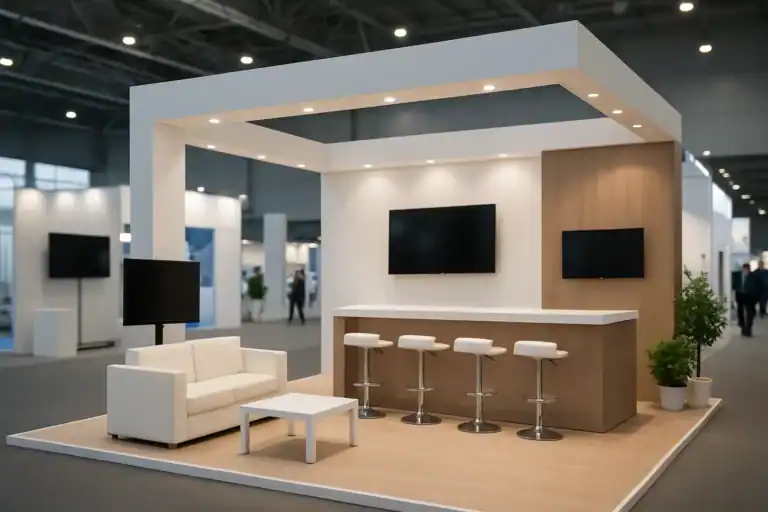
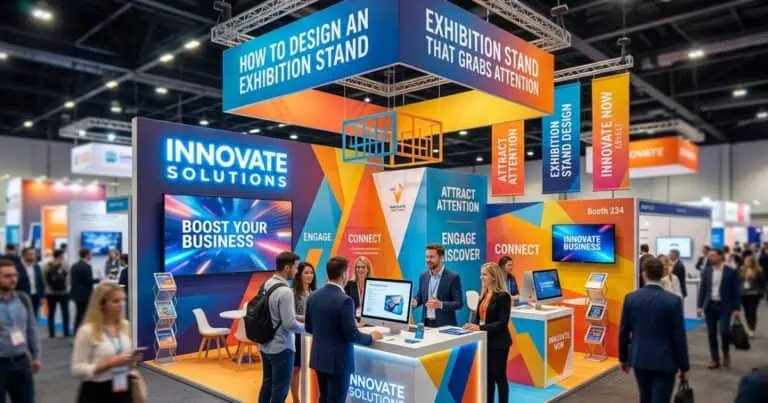
Booth functionality means that visitors and staff can carry out the intended activities within the actual exhibition plot. Check how someone approaches, understands the offer, examines a product, speaks to the team and leaves. Include the space needed for people, equipment, access, storage and services. An attractive rendering alone does not demonstrate that these tasks will work.
This guide turns the brief into a practical walkthrough. Use it with the current organiser documents and the people responsible for design, technical coordination and event operations.
Start with the work your booth must support
Choose the main visitor activity before deciding how much furniture or technology to include. A hands-on product trial needs a different arrangement from a short introduction or a scheduled discussion. Agree what staff should explain and what a visitor should be able to do next.
| Activity | What the plan must show | What to test |
|---|---|---|
| Recognise the offer | Main message, product and intended viewing positions | Legibility from the permitted approaches and competition from other graphics |
| Ask an initial question | Welcome position and room for a visitor to stop | Whether the host blocks access or interrupts a demonstration |
| Examine a product | Product dimensions, handling position, services and restrictions | Actual reach, viewing, staff assistance and any necessary separation |
| Discuss an application | People, seating, documents and display equipment | Conversation with neighbouring activities operating |
| Agree a next step | Approved information and follow-up process | Who records the request, who owns it and what happens if a device fails |
| Keep the booth operating | Storage, supplies, waste and staff belongings | Replenishment without obstructing visitors or technical access |
The AUMA guidance on trade-fair briefings is a useful reference for agreeing objectives, resources, responsibilities and communication with the team.
Test booth functionality on the booked plot
Use the organiser’s dimensioned plan, including open sides, neighbouring plots, columns and applicable restrictions. Add the proposed structures, equipment and services at scale. Gross booked area is not the same as clear operating area.
Inline, corner, peninsula and island describe arrangements of open sides; they do not establish a universal booth size or guarantee traffic. Check the event’s own terminology and rules. More approaches can also require additional staff coverage, different display positions and more careful management of queues.
- Mark each task. Show where the host, demonstrator and visitor stand or sit, including movement and equipment use.
- Walk the route. Trace entry, product inspection, discussion and exit. Repeat with a second activity in progress.
- Add operating items. Include open cupboard doors, bags, samples, empty packaging, cables and supplies that a rendering may omit.
- Check access. Review floor transitions, controls, viewing positions and alternatives with the responsible designer. Use the applicable requirements rather than a generic clearance copied from another event.
- Resolve conflicts. Remove or reposition activities that cannot operate together. Do not depend on the public aisle as unapproved overflow space.
Make graphics and lighting support the task
Give visitors a clear description of the offer and a readable next step. Test the message at the intended viewing distance using the proposed size, contrast and finish. Keep detailed technical information available where someone can examine it comfortably.
Check lighting with actual product samples and screen content where possible. Reflections, shadows and glare may affect a demonstration. Record the fixtures, electrical requirements, installation and cost. Colour choices should reflect the brand and practical visibility; a colour alone does not prove trust, excitement or buying intent.
Use technology where it solves a defined problem
A touchscreen may help visitors compare configurations; a physical sample may explain another product more clearly. Choose the format around the visitor’s task and the team’s ability to support it. Technology is an option to assess, not an automatic improvement in engagement or conversion.
Before ordering, request a demonstration with representative content. Check startup, connectivity, power, audio, device positioning, operating instructions, support and replacement arrangements. Provide an alternative explanation if the equipment or connection fails. Separate the choice of activity from the review of participant information, access and approved follow-up.
Rehearse the booth with the people who will use it
Run a timed rehearsal of the complete interaction, including setup and reset. Observe how the team handles a visitor arriving during a demonstration or a meeting. Use the findings to adjust staffing and layout rather than assigning a universal number of people to a particular area.
At handover, check the installed layout against the agreed drawings and task list. Confirm that graphics, lights, displays, furniture and services work; note outstanding items and name the person responsible for resolving them. Share operating instructions and the event support contact with the team.
Measure operation and business outcomes separately
Record observations such as completed demonstrations, requests for technical information and meetings held, using agreed definitions. Document interruptions, queue problems and activities the team could not support. These findings can improve the next design.
Attendance, game participation and time spent at a booth are not sales. Review qualified opportunities and subsequent outcomes through the organisation’s agreed process, including the complete participation cost where a financial return is calculated. Booth design is one part of the event, so avoid attributing every outcome to a layout change.
Frequently asked questions
How do you check whether a booth is functional?
Map the intended tasks on the actual plot, include people and operating equipment, and rehearse the interactions. Check the installed booth at handover against the agreed plan.
Does an island booth always work better?
No. Four open sides change access and staff coverage, but suitability depends on the brief, booked plot, restrictions, activities and resources.
Where do technical restrictions come from?
Use the documents for the specific event and venue. The IFEMA MADRID regulations library, for example, separates different event and site documents; select the ones that apply to the booking.
For help turning visitor tasks into a design brief, see our exhibition stand design service or share the event, plot and intended activities.
Follow our exhibition planning guides
Choose Adam Expo Stand as a preferred source to help you find our exhibition guides and updates on Google.
Add as a preferred source on GoogleGoogle may ask you to sign in and confirm your choice.