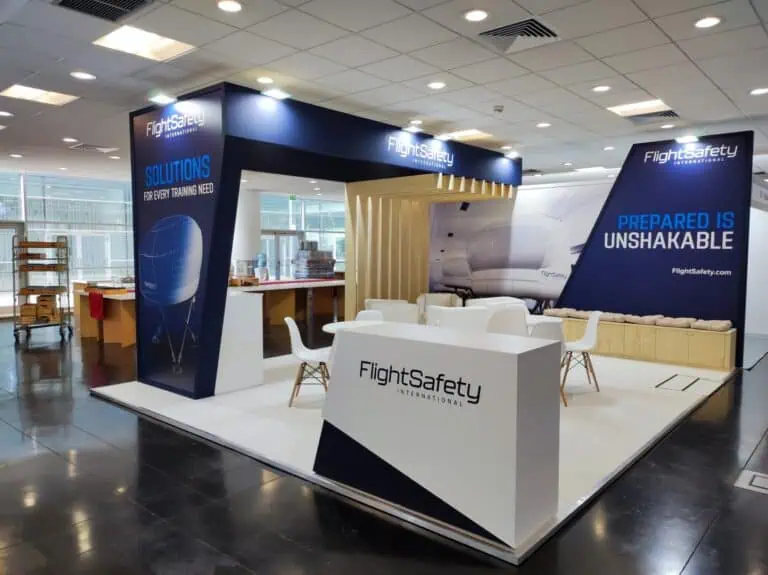
Exhibition stand artwork should be signed off only when the exact production files, panel dimensions, print specification and placement have been checked together. Approving a 3D render is not the same as approving files for printing. This guide gives exhibitors in Spain and Europe a practical release checklist for walls, counters, fascias and fabric graphics.
Published 10 October 2026. Practical guidance by Adam Expo Stand.

12 exhibition stand artwork checks before production
- Confirm the drawing revision. Match every graphic to the approved wall elevation and current stand layout. A moved screen or door can hide an important message.
- Identify every panel. Use a unique reference for each wall, counter and fascia. Include the stand-facing orientation so mirrored layouts are not confused.
- Confirm finished size and file scale. Ask the production supplier for a template. State whether the artwork is supplied at full size or a specified reduction.
- Use the supplier’s bleed and safe areas. Trimming, wrapped edges and fabric finishing differ. Keep logos, small lettering and QR codes clear of these zones.
- Check joins and obstructions. Avoid splitting a face, logo or key sentence across a panel joint. Mark sockets, supports, displays and furniture on the proof.
- Check image quality at output size. Review effective resolution at the agreed scale and viewing distance. Enlarging a small web image does not restore lost detail.
- Confirm colour treatment. Agree the colour profile, spot-colour handling and material with the printer. Use a physical sample when a brand colour is critical.
- Resolve fonts and linked assets. Follow the supplier’s embedding or outlining requirements and check that images are included and their use is licensed.
- Proofread each language separately. Check accents, product names, units, URLs and contact details. Have a Spanish speaker review Spanish copy rather than relying only on automated translation.
- Test calls to action. Scan the actual-size QR proof on more than one phone and check its destination. Confirm the landing page works and matches the promise printed beside it.
- Approve the production PDF. Review the exported file, not just the editable design. Inspect cropping, transparency, missing characters and unwanted layers.
- Release one named version. Record the file name, revision, approver and time. Archive older versions and obtain confirmation that the printer received the approved set.
A simple artwork sign-off record
| Field | What to record |
|---|---|
| Project | Event, venue, hall, stand number and installation date |
| Graphic reference | Panel ID, drawing revision, finished dimensions and material |
| Production file | Exact filename, scale, export specification and revision |
| Approval | Brand/content approval, technical acceptance and release date |
| Exceptions | Open issue, responsible person and whether printing is on hold |
Separate creative approval from production release
The marketing team can approve messaging while the supplier checks manufacture. Combine those decisions before release. Adobe’s print-ready PDF guidance highlights preflight, available fonts, current linked files and correct print settings. The final export specification should still come from the printer handling your particular material.
For a bilingual stand, check both language versions in position. A Spanish sentence may occupy more space than its English equivalent. Shorten the message through editorial review instead of squeezing type until it becomes difficult to read.
Common artwork approval questions
Is there one correct DPI for every exhibition graphic?
No. Required effective resolution depends on output size, material, viewing distance and the production workflow. Request the printer’s specification before preparing files.
Does an approved render authorise printing?
Only if the agreed approval process explicitly covers the identified print files. Keep visual design approval and production-file release clearly recorded.
What if the copy changes after sign-off?
Pause the affected graphic, issue a new revision and ask the supplier to confirm cost and timing before reprinting. Check whether adjacent panels or translations also change.
Prepare your next stand’s graphic package
Send the event details, approved layout, brand assets and language requirements with your exhibition stand brief. Adam Expo Stand can coordinate graphics within an agreed stand design and build scope. Use the handover checklist to inspect the installed result, or request a project review.
Follow our exhibition planning guides
Choose Adam Expo Stand as a preferred source to help you find our exhibition guides and updates on Google.
Add as a preferred source on GoogleGoogle may ask you to sign in and confirm your choice.