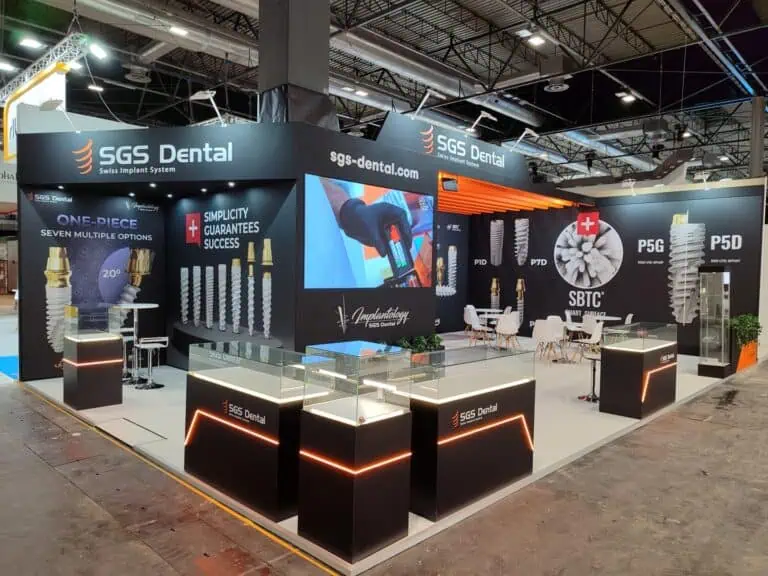
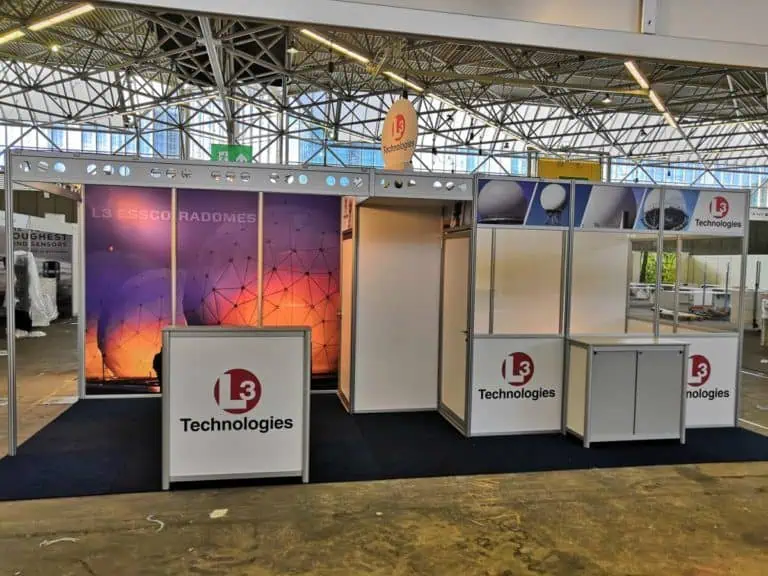
An exhibition stand handover checklist helps you confirm that the finished stand matches the agreed brief, works with your actual equipment and is ready for your team to use. Walk the space with the builder, test the visitor journey and record every unfinished item with an owner and a deadline before the installation team leaves.
This guide is for exhibitors preparing a custom or modular stand in Spain and Europe. It focuses on the final handover, after installation. For earlier planning, explore our exhibition services and agree who is responsible for each part of delivery.
Reviewed: 10 October 2026. The checklist below is Adam Expo Stand’s practical planning guidance. Event-specific approvals, inspections and access arrangements must be confirmed with your organiser.

What should a stand handover include?
A useful handover combines a joint walkthrough, functional tests, a record of defects or missing items, operating instructions and named support contacts. Bring the latest approved layout, graphics proofs, equipment list, itemised quotation and venue service orders. Compare the finished stand with those documents rather than relying on a 3D image alone.
Arrange the walkthrough within the permitted access period and leave time for corrections before opening. There is no universal handover time for every exhibition: confirm your show’s schedule and the contractor’s availability in writing. Include the person who will actually manage the stand during the event.
Your 24-point exhibition stand handover checklist
1–6: Layout, access and physical condition
- Confirm the plot and orientation. Check the hall, stand number, open sides and position against the organiser’s allocation and the approved plan.
- Walk the visitor route. Follow the journey from the aisle to reception, demonstration, meeting and exit. Identify bottlenecks before placing brochures or promotional displays.
- Review entrances and changes in level. Check the agreed accessible route, floor edges and any ramp with the builder. Refer questions about required dimensions to the organiser and the qualified designer.
- Keep required routes clear. Confirm that furniture, packaging and queues will not obstruct aisles, exits or access to safety equipment.
- Inspect visible finishes. Record loose carpet edges, damaged surfaces, sharp edges or unstable furniture. Ask the installation team to assess and correct defects.
- Check storage and doors. Open cupboards and the store room, test locks, count keys and make sure doors can operate with the final furniture in place.
7–12: Branding, lighting and product displays
- Compare graphics with approved proofs. Check company names, product details, language, spelling and image quality. Photograph discrepancies while replacements can still be arranged.
- Read the message from the aisle. Stand at the main approach and confirm that visitors can identify your brand and what you offer without entering the stand.
- Inspect graphic installation. Check joins, alignment, lifting corners and visible damage, especially where lighting makes imperfections more obvious.
- Test the agreed lighting scenes. Turn on the installed lights with the responsible technician. Check product visibility, reflections on screens and glare at seated eye level.
- Confirm product placement. Compare shelving, plinths and equipment positions with the plan. Ask the builder to verify suitability for the actual display loads; do not assume a decorative shelf can hold a heavy sample.
- Rehearse one complete demonstration. Use the real product, presenter position and visitor viewing area. Check that cables, doors and audience movement work together.
13–18: Power, screens and connectivity
- Confirm technical sign-offs. Ask the responsible contractor which electrical, structural or other approvals apply and obtain their completion status. A client walkthrough does not replace the venue’s inspection or a competent specialist’s sign-off.
- Test the intended equipment combination. Have the responsible technician check the planned operating setup with lights, screens and demonstration equipment in use. Leave electrical panels and connections to authorised personnel.
- Identify power schedules. Confirm what switches off overnight and whether any equipment needs a separately ordered continuous supply. Record the approved shutdown and restart procedure.
- Check cable management. Ask the installation team to secure and protect cables along the agreed routes. Keep visitor movement and technician access clear.
- Play the final screen content. Check aspect ratio, subtitles, sound, remote controls and startup after a restart. Keep an approved offline copy of essential presentation material.
- Test connectivity at the stand. Use the actual devices and booked connection. Confirm login arrangements, support contacts and permitted backup options; an empty-hall test cannot guarantee performance during a busy show.
19–24: Team readiness, cleaning and support
- Test enquiry capture. Submit a clearly labelled test record through your approved tool, verify that it reaches the intended system and check that staff know the agreed visitor-information process.
- Count the supplied items. Check chairs, tables, counters, appliances and accessories against the inventory. Record existing rental damage with photographs.
- Agree cleaning scope. Confirm who removes protective film, packaging and installation waste, who cleans display surfaces and what daily cleaning includes.
- Brief the stand team. Demonstrate lighting controls, AV startup, storage access and the approved closing routine. Tell staff how to report faults and where to find the venue’s emergency instructions.
- Confirm support and escalation. Save named contacts for the builder, AV provider and organiser. Agree who receives a fault report and what attendance has actually been contracted.
- Record the handover outcome. Photograph the completed stand, log outstanding items, agree correction times and confirm collection, dismantling and return arrangements for hired or reusable components.
Use an issue log before accepting the stand
A remark such as “screen problem” is difficult to act on. Write what failed, where it happened, who will fix it and when it will be retested. Copy this simple structure into your project notes:
- Event / hall / stand: identify the exact location.
- Check / issue / photo reference: describe the observed problem.
- Priority: safety or approval blocker; opening-critical function; cosmetic correction.
- Responsible person / correction deadline: name the owner and time.
- Retest result / accepted by / date: close the item after verification.
Illustrative example: the reception screen shows the correct video but loses audio after restarting. The AV supplier owns the correction, the exhibitor agrees a retest time and the final record states whether the restart test passed. This is an example of the process, not a reported client project.
Escalate safety concerns and missing mandatory approvals to the responsible specialist and organiser before use. Handle functional and cosmetic issues according to their impact and the agreed contract; distinguish completed work from items still awaiting correction.
Checks for IFEMA Madrid and Fira Barcelona
IFEMA MADRID publishes separate participation, rigging, vehicle-access and safety documents on its official regulations page. Its technical support page also directs exhibitors to the specific rules in each fair’s exhibitor guide. Save the versions that apply to your event and share them with your delivery team.
For a Barcelona project, consult Fira Barcelona’s published technical regulations alongside the organiser’s current exhibitor manual. Confirm which edition applies before relying on a downloaded copy. Do not transfer a deadline, power arrangement or approval from one show to another.
Frequently asked questions
Who should attend the exhibition stand handover?
The exhibitor’s stand manager and the builder’s responsible site representative should attend. Include the AV or demonstration specialist when equipment needs explanation or testing, and involve venue personnel when their approval is required.
Does “turnkey” mean every service is included?
The written scope determines the inclusions. Check venue connections, internet, cleaning, show-day attendance, dismantling and storage individually. Our turnkey stand services are a starting point for discussing the scope of your project.
What if the stand looks finished but a demo does not work?
Record the failed test and its effect on the visitor experience, assign the correction and agree a retest. A finished surface does not establish that the equipment, connection or operating workflow is ready.
Should the checklist change for a modular or rented stand?
Keep the same checks for function, access and team readiness, then add the supplier’s component inventory, existing-damage record, operating instructions and return requirements. Review our exhibition stand rental options when planning ownership and return responsibilities.
Build handover into your next stand brief
Send Adam Expo Stand your event, venue, dates, allocated floor plan, planned equipment and budget range. Ask for the proposal to identify the handover walkthrough, testing responsibilities, support scope and dismantling arrangements.
Request a stand proposal with a clear delivery and handover scope.
Follow our exhibition planning guides
Choose Adam Expo Stand as a preferred source to help you find our exhibition guides and updates on Google.
Add as a preferred source on GoogleGoogle may ask you to sign in and confirm your choice.