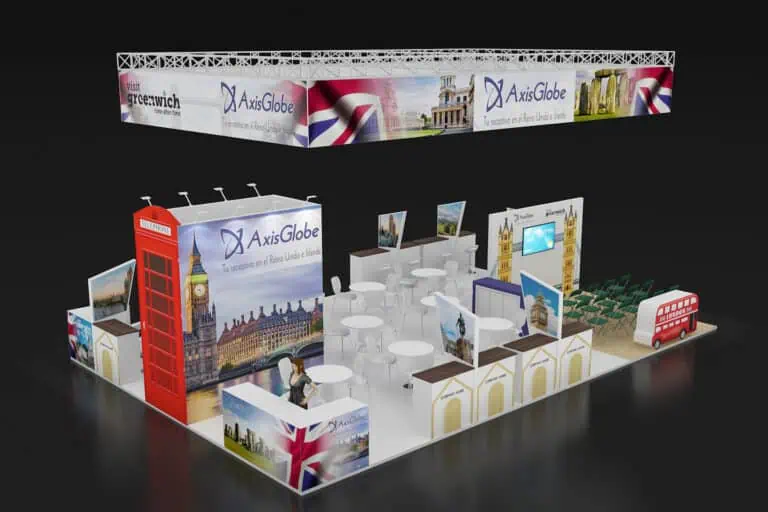
A SIMO Educación exhibition stand should help visitors understand an educational product, try a relevant task and discuss its practical use. Plan the demonstration, visitor space, equipment, connection and follow-up together. For the 2026 event at IFEMA MADRID, check the current stand approval, service orders and delivery arrangements before committing to changes or dispatching materials.
SIMO Educación 2026: dates and exhibitor information
SIMO Educación takes place from 11 to 13 November 2026 at IFEMA MADRID. The official event website identifies this as the twelfth edition. Use its current programme to plan meetings and demonstrations around the activities relevant to your visitors.
The exhibitor information page labels its company and visitor figures as results from the previous edition. They are not a forecast for 2026. Rather than designing against an assumed crowd size, define the conversations and demonstrations your team can realistically deliver.
Planning update, 11 October 2026: review the outstanding decisions for a booked participation now. The linked 2026 exhibitor guide specifies 8 October for free-design stand and rigging submissions. If approval or a change remains unresolved, obtain instructions from the organiser. Do not substitute a generic four-week contractor accreditation rule for the actual requirements.
Choose the task for the SIMO Educación exhibition stand
Start with a recognisable educational situation and one useful task. Show who uses the product, what they do and what information they need to judge its suitability. A teacher exploring a lesson, a manager evaluating administration and a technical specialist checking integration may need different explanations.
| Product or service | Demonstration to plan | Preparation needed |
|---|---|---|
| Teaching platform or content | Complete a representative classroom task | Approved sample account, readable screen and a reset process |
| School administration software | Walk through a defined workflow | Fictional records, a clear scope and a specialist for detailed questions |
| Interactive display or classroom hardware | Try the feature that matters in use | Dimensions, support specification, power and accessible controls |
| Robotics or practical learning equipment | Observe or take part in a controlled activity | Operating space, competent supervision and storage for components |
| Furniture or learning environments | Assess a physical sample or configuration | Handling, dimensions, visitor circulation and product information |
| Training or implementation support | Discuss a specific organisational need | Case materials, meeting space and a responsible follow-up contact |
Match the activity to the plot and available people. There is no universal stand size or demonstration duration for every EdTech offer. A concise overview can lead to a scheduled discussion when a visitor needs a deeper explanation.
Make the demonstration usable and repeatable
Position screens so the intended group can read them without standing in an aisle. Check viewing distance, reflections, sound and the room needed to operate the product. Use a legible explanation of the problem and the relevant feature, with detailed technical material available for those who need it.
List devices, software versions, accounts, adapters and connection requirements. Test the complete task using the proposed equipment. Confirm the connection ordered for the stand against the actual demonstration needs; do not assume that a general Wi-Fi inclusion will support every workload. Keep an approved recording or offline explanation ready.
Use fictional or authorised demonstration records, rather than live pupil, parent or staff information. Reset the account between sessions and agree who can access devices and stored details. Avoid putting a real school database or an identifiable learner’s work on a public screen without the required authorisation.
For physical equipment, give the supplier dimensions, weights, support requirements and operating details. Ask the competent provider to specify installation and supervision needs. Agree safe storage of small parts and the method for returning the demonstration to its starting state.
Check the actual approval and delivery requirements
The 2026 exhibitor guide distinguishes project approval, assembly charges and the occupational risk prevention protocol. It states that assembler passes are not required during build-up. Check the requirements applying to your project and record who completes each task.
The guide contains inconsistent modular handover dates in different sections. Confirm the operative date and goods access arrangements in Zona Expo or with the organiser before booking transport. Keep public opening, construction, decoration deliveries and dismantling as separate appointments in the project schedule.
Use IFEMA MADRID’s regulations with the event guide and the booked plot plan. A render is not an approval. Ask for the applicable review of structures, suspended elements and equipment rather than borrowing a height or rule from another fair.
Compare costs against a written scope
Request quotations for the same plot, activity and delivery requirements. Separate the organiser’s participation and service charges from design, rental or construction, graphics, furniture, installation and dismantling. Add equipment hire, screens, connectivity, handling, transport, storage, cleaning, waste and return arrangements where required.
Identify which party orders each service, what has already been included in a package and what remains unpriced. A stand-only price per square metre cannot establish the total participation cost. Check the treatment of changes, late orders and taxes with the suppliers responsible for the quotation.
Choose a construction approach by functional fit, documented configurations, technical evidence and the actual future programme. Compare modular and custom stands using the proposed components and services. Reuse depends on the next plot, condition, graphics, transport and storage, rather than a fixed number of shows that guarantees a saving.
Organise staff, handover and daily operation
Allocate product explanation, hands-on demonstration, detailed technical discussion and meeting responsibilities. Confirm who can answer questions about deployment, compatibility, training and support. If the right specialist is unavailable, agree a follow-up instead of improvising an answer.
At handover, test the equipment, connections, accounts, reset process and backup presentation. Check graphics, storage, furniture and visitor circulation. Record defects and action owners. Give the team a short operating note with contacts for equipment or stand support.
During the event, keep devices charged or powered as specified, manage demonstration queues within the stand and secure equipment when unattended. Before dismantling, protect screens and hardware in suitable packaging and reconcile the inventory with the receiving or hire company.
Follow up with information the visitor actually requested
Record the educational setting, requirement, product interest and next action, with the privacy information and permissions appropriate to the collection process. Do not infer a purchasing mandate from a job title or count every scan as a qualified lead.
Assign requested materials, a trial, technical discussion or quotation to an owner. Set the follow-up timing according to the agreement and the work required. Review conversations, demonstrations, opportunities and subsequent outcomes separately so the report explains what happened.
SIMO Educación stand questions
Do we need a live demonstration?
Use one when visitors benefit from trying or observing the task and it can be delivered reliably. A recording, static example or scheduled discussion may suit activities that cannot run on the stand.
How much should we budget?
Build the budget from current organiser charges and supplier quotations for the actual scope. Include services, equipment, logistics and removal before comparing proposals.
What should go into the supplier brief?
Include the plot, booking and approval status, intended visitors, demonstration task, equipment, connection needs, staff, budget and return plan. Contact Adam Expo Stand to discuss a proposal against those requirements.
Follow our exhibition planning guides
Choose Adam Expo Stand as a preferred source to help you find our exhibition guides and updates on Google.
Add as a preferred source on GoogleGoogle may ask you to sign in and confirm your choice.