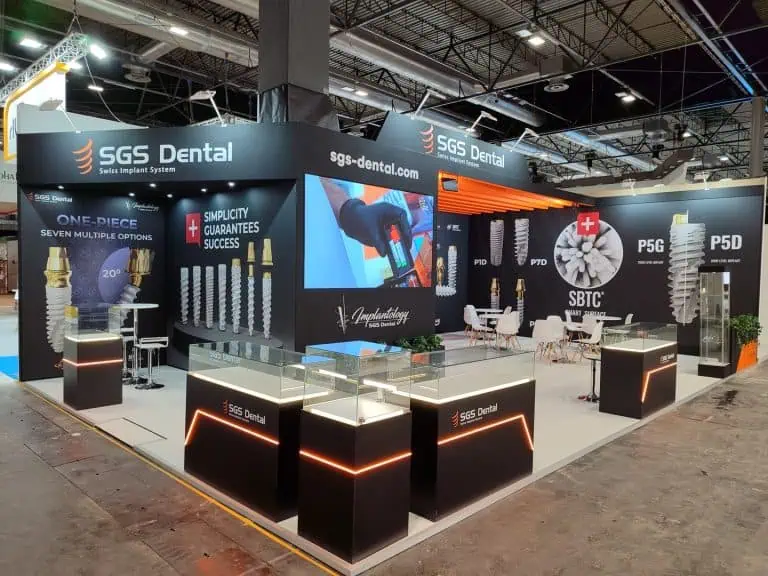
Design an exhibition stand for lead generation by connecting a relevant visitor’s question with a useful activity, an informed conversation and an agreed next step. Layout, graphics, technology and staffing should support that process. A stand design cannot guarantee a lead volume or a conversion percentage.
Define what your team calls a qualified lead before selecting equipment or drawing zones. A scanned badge, long visit or signed document alone does not establish a relevant buying opportunity.
Define the audience and the useful next step
Describe whom you want to help, the problem you can address and what evidence the team can show. Decide which follow-ups you can actually deliver: a technical discussion, requested product information, a sample review or a demonstration appointment.
Agree qualification criteria with sales and product colleagues. These might include the visitor’s stated need, application, suitability and requested timing. Ask questions that fit the conversation rather than forcing every visitor through an identical script.
The AUMA briefing guidance provides context for agreeing objectives, audience and responsibilities across the team.
Design an exhibition stand for lead generation around tasks
| Visitor task | Design requirement | What to test |
|---|---|---|
| Recognise relevance | A readable message and appropriate product or proof | Can the intended audience understand the offer from the approach? |
| Inspect or understand | Suitable display, demonstration or explanation | Can visitors use it with staff, equipment and waiting people present? |
| Discuss a need | Appropriate conversation space and informed staff | Can the required discussion happen without blocking another activity? |
| Agree a next step | Available owner, accurate record and realistic timing | Can the team record and deliver the request? |
These tasks need not become a compulsory physical route. Some visitors arrive for an appointment, some need a short answer and others want to inspect a product independently. Make those interactions workable without requiring everyone to complete a form.
Review the layout with real activities
Use a scaled plan showing actual products, operating space, furniture, staff, storage and simultaneous visitors. Locate conversations and demonstrations where they function within the approved plot. A meeting area does not always belong at the rear, and a counter does not always obstruct entry.
Check accessible use, circulation, waiting, replenishment and service access with the responsible team. No universal floor-space ratio, counter height or distance from the aisle establishes a suitable layout. Resolve event-specific restrictions before production.
Make the message and evidence readable
Prepare a clear invitation that answers a relevant question. Support it with approved product information, samples or a demonstration. Review graphics from intended approaches and distances with the proposed lighting and finishes.
Choose text size, contrast, images and content length through practical review. Fixed word counts, universal colour temperatures and a three-second rule cannot replace testing the actual message. Give staff a suitable explanation and alternative formats where needed.
Select technology for a defined job
Use a screen, configurator or simulation when it explains something usefully. Include content approval, power, connectivity, support, service access and a fallback in the scope. Review how many people can use the activity and what staff assistance it needs.
Choose record capture separately. Confirm event compatibility, fields, export, access, duplicates and CRM handling. The lead-capture technology guide explains these workflow checks. Neither a badge scanner nor NFC automatically produces a qualified lead.
Prepare staff and requested follow-up
Assign greeting, product explanation, technical escalation, meetings and record review. Plan coverage and breaks around actual activities and expected use. A fixed number of staff per metre of frontage is not a reliable staffing model.
Practise a short conversation: understand the question, explain relevant evidence, check the need and agree the next step. Record who owns the response and the promised date. Prioritise accurately and meet the agreed timing rather than claiming a universal uplift from a 24-hour deadline.
Use your organisation’s approved personal-data process. Review purpose, lawful basis, transparency, access, retention and any applicable communication rules with the responsible team. EDPB guidance explains lawful bases; consent is not automatically the only basis for every record. Do not treat scanning or handing over a card as unrestricted permission for future campaigns.
Measure the process without invented benchmarks
Define each measure, counting method and period. Distinguish people, visits, interactions and records; repeated scans should not silently inflate a count of unique contacts. Keep the same definition when comparing events.
For example, a defined qualified-contact rate can be qualifying contacts divided by the relevant recorded conversations, multiplied by 100. State the denominator and exclusions. If you do not count all visitors reliably, do not present that rate as the percentage of all stand visitors.
Cost per qualified contact is the agreed cost scope divided by the qualifying-contact count. Identify whether costs cover the stand only or complete participation. Review opportunities and attributable commercial results later; contact counts and dwell time are not financial profit.
Frequently asked questions
Which layout generates the most leads?
No layout guarantees the highest result. Compare workable designs for your audience, activities, event, staff and budget, then evaluate consistent measures.
Should everyone scan a badge before a demo?
Define an appropriate process for the activity and review the data requirements. A mandatory scan is not necessary for every demonstration and does not establish interest or qualification.
How do I request a useful design proposal?
Send the confirmed plot, event instructions, audience, products, activities, staffing, follow-up process and budget. Ask how the design supports each task and what needs to be tested before handover.
Follow our exhibition planning guides
Choose Adam Expo Stand as a preferred source to help you find our exhibition guides and updates on Google.
Add as a preferred source on GoogleGoogle may ask you to sign in and confirm your choice.