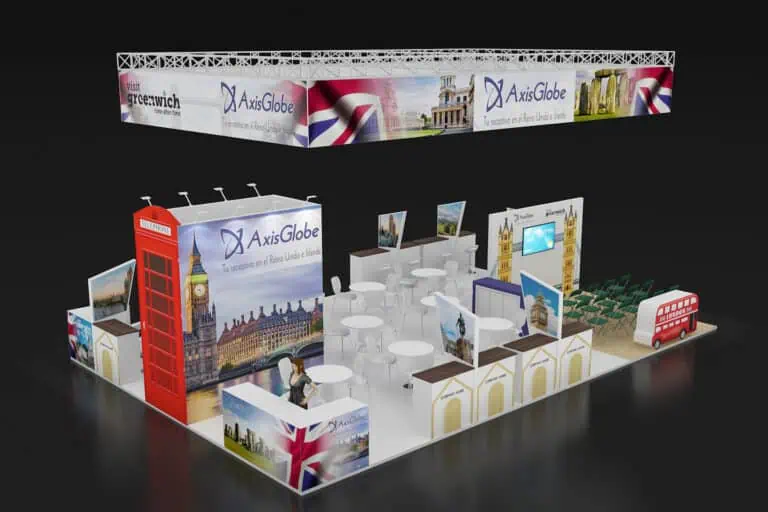
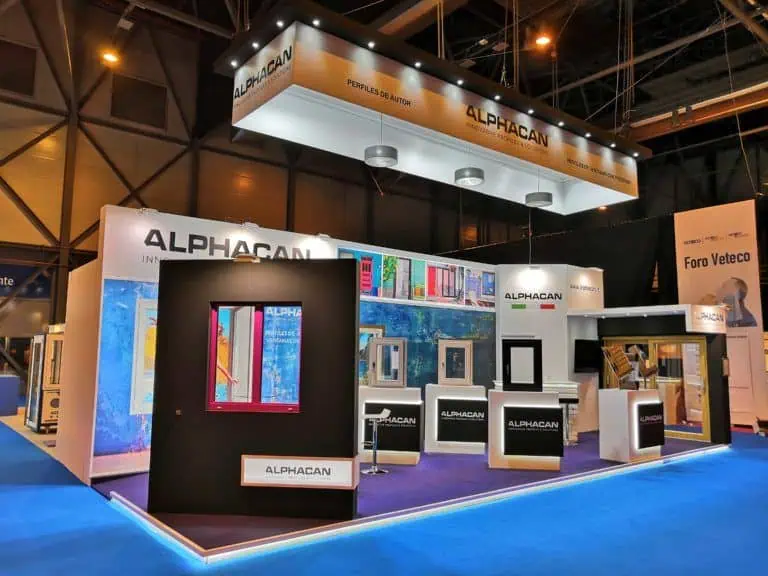
A Construtec exhibition stand should make building materials and systems easy to inspect, compare and discuss. Begin with the samples, demonstration tasks and technical questions your team can answer. Then fit displays, meetings and storage to the confirmed plot, checking support, handling, services and the organiser’s current instructions before approving the design or booking deliveries.
Construtec exhibition stand planning for 2026
CONSTRUTEC 2026 runs on 10–13 November at IFEMA Madrid. Professional opening is 09:30–18:30 on the first three days and 09:30–16:00 on Friday. The published location is Hall 7 and the 7–9 connecting area. Confirm your own plot and access information before preparing the layout.
The organiser’s current construction week announcement brings together CONSTRUTEC, VETECO, SMART DOORS and PISCIMAD. It also identifies CONSTRUTEC’s BIM space and Foro BIM. Use the current programme to plan relevant visits and meetings, without assuming every neighbouring event or conference has the same access conditions.
A materials supplier, a software business and an industrialised construction specialist may need very different stands. Define the visitor task before selecting a structure: examine a finish, compare a system section, review a specification or follow a digital workflow. This keeps the design connected to the work your team intends to do.
Build the brief around real samples
Create a sample register with product identifier, dimensions, weight, quantity, packed size and proposed display method. Include anything needed to handle, replenish or clean the sample. State whether visitors may touch it, whether staff must supervise and where spare pieces will be stored. Share the register with the designer and delivery coordinator.
| Product or service | Useful presentation | Decision to resolve |
|---|---|---|
| Ceramic, stone and surface finishes | Labelled samples that can be compared under the same conditions | Support, handling, viewing position and replenishment |
| Insulation and envelope systems | A representative section with the layers clearly identified | What the sample demonstrates and which technical documents support it |
| Prefabricated or structural components | A manageable component or accurately identified model | Weight, support, delivery sequence and review responsibility |
| Tools and equipment | A defined supervised demonstration or static display | Operating mode, services, competent operator and organiser acceptance |
| BIM and digital construction | A short workflow on a prepared example project | Screen visibility, demonstration data and offline alternative |
| Technical, design or specification services | A discussion supported by relevant drawings and documents | Meeting space, specialist availability and the next action |
A heavy slab or component should not be treated as decoration that can be fixed later. Have competent people review its support and handling arrangement. Record the accepted method and keep the delivery team informed. A full-size sample may be useful, but a smaller representative piece can answer some questions without occupying the entire plot.
Explain what the construction display proves
Label each section so the visitor can distinguish the layers, connection or finish being shown. Keep the explanation close to the sample and use a consistent identifier on the supporting documents. If the assembly is illustrative, say so. The stand should not imply that a display is a certified installed system or a test result.
Prepare the evidence needed for the intended conversation. Identify which product, configuration and application each document covers, and let the technical team handle questions outside that scope. Avoid transferring a claim from one component to an entire construction system. A visitor should be able to understand both the relevance and the limits of the example.
For BIM or software, demonstrate a small task using fictional or appropriately authorised project information. Show the starting point and result, then explain what would be needed in the visitor’s own project. Keep an offline version available if the connection fails, and identify simulations or recorded sequences clearly.
Arrange inspection, demonstrations and meetings
Place the primary sample where an arriving visitor can understand it without stepping into a crowded group. Leave room for a colleague to explain the detail and for another visitor to pass. Check the layout with the actual sample supports, open cupboard doors, chairs and equipment installed; an empty floor plan can conceal conflicts.
Give more detailed discussions a suitable position away from the demonstration’s immediate circulation. This need not be a large enclosed room. Choose furniture and privacy according to the conversation, and keep staff sightlines and access in mind. Schedule specialist availability so a promising enquiry does not wait for someone who is attending a conference elsewhere.
Do not select overhead signage or extra height before checking the plot’s conditions and approval process. Visibility can also come from a clear message, appropriate contrast and a display that can be understood from the approach. The permitted design and the intended product task should determine the solution.
Check the stand package and approval position
The current CONSTRUTEC guide publishes package options and tariffs; free-design space-only participation starts at 32.5 m². The stated design submission deadline, 1 October 2026, has already passed. If approval is outstanding, contact the organiser promptly about the project’s position before promising construction.
Review the actual package and its usable dimensions before comparing a supplied stand, a modular proposal or bespoke construction. Confirm permitted attachments, included services and what requires a separate order. A structural need created by a sample does not disappear because the supplier describes the stand as modular.
For reuse, ask which parts will serve the next likely plot and product range. Include packing, transport, storage, inspection and replacement graphics in the plan. Keep substantiated material claims specific to the relevant component. Reusability is a practical plan to carry out, not a fixed number of future uses guaranteed by a stand category.
Our modular and custom stand guide provides comparison questions. Judge each offer against the same displays, meetings and delivery requirements.
Set a complete construction fair budget
Separate organiser participation charges from stand design and production. Ask for named lines covering sample supports, graphics, lighting, furniture, storage, equipment handling, transport, installation, dismantling and the return of products. Identify services required by demonstrations and who orders them. Record exclusions and the assumptions behind quantities.
Compare the same scope across proposals. One contractor may include the display supports while another expects the exhibitor to supply them. One transport allowance may cover stand components but exclude heavy products. Resolve these differences before treating the totals as comparable.
Agree how changes are priced and authorised. A revised product list can alter display supports, handling or delivery even when the stand area stays the same. Review that effect before approving the change. Our exhibition budget guide helps structure the broader comparison without substituting a generic price for a project quotation.
Coordinate delivery and handover
The guide schedules free-design build for 1–7 November, supplied modular handover on 8 November, goods entry on 8–9 November and dismantling on 14–16 November. Confirm the booking’s precise access and collection arrangements. Public opening hours do not authorise installation or vehicle entry.
Prepare one delivery schedule with item identifiers, packed dimensions, recipient and handling responsibility. Agree the installation order where a large sample would block later work. Decide where packaging will be stored and who releases each item for collection. Keep product departure distinct from removal of the stand itself.
At handover, compare the installed stand with the approved plan and sample register. Check labels, supports, viewing positions, lighting and ordered services with the responsible specialists. Rehearse any demonstration and record outstanding work with an owner. Give the operating team the contact information needed to resolve a problem during the show.
Prepare useful conversations and follow-up
Brief the team to establish the visitor’s application, project stage, technical question and requested next step. Choose an appropriate way to record only the information needed. A paper note and a digital tool both require an organised process; neither guarantees accurate enquiries by itself.
After the event, distinguish sample requests, technical consultations, meetings, proposals and resulting orders. Assign each next action and review unresolved questions. Use those findings to improve the next product selection and stand brief instead of promising that a particular structure will deliver a fixed return.
Questions about a stand at Construtec
Can I choose a stand type solely from its area?
No. Check the contracted package, eligibility, product loads, display method, circulation and organiser requirements. Area alone does not resolve those needs.
Does every construction product need a live demonstration?
No. Use an operating demonstration when it answers the relevant question and can meet the approved conditions. Label static samples, sections and models accurately.
What should I send to a contractor?
Send the confirmed allocation, package, sample register, demonstration requirements, budget and approval status. Contact Adam Expo Stand with those details to discuss a scope suited to your Construtec project.
Follow our exhibition planning guides
Choose Adam Expo Stand as a preferred source to help you find our exhibition guides and updates on Google.
Add as a preferred source on GoogleGoogle may ask you to sign in and confirm your choice.