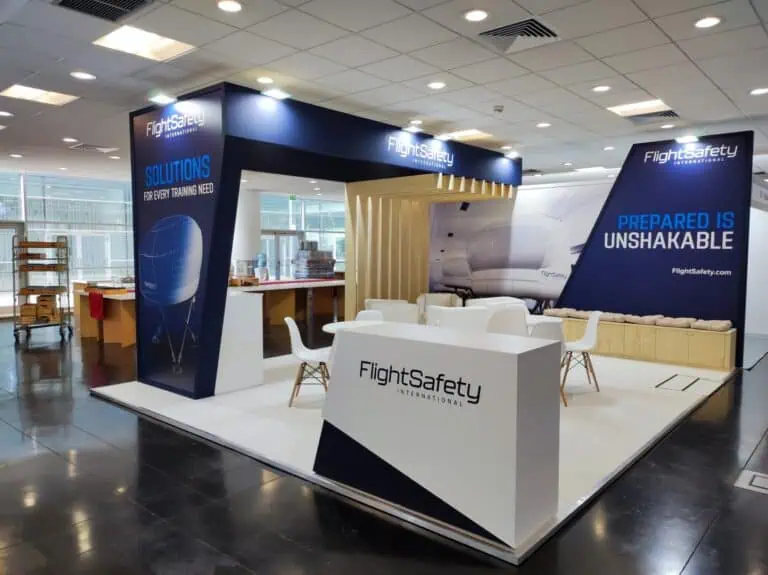
Interactive exhibition stands let visitors take part in a product demonstration, comparison or guided task. Choose the activity around a useful question, then plan its equipment, access, staffing and follow-up. A touchscreen, physical sample or immersive presentation can be appropriate, but the interaction needs to work reliably and lead to a relevant conversation.
Interactive exhibition stands: define the useful task first
Write what the visitor should understand or be able to discuss afterwards. A component supplier might show how an assembly fits together; a software business might demonstrate a specific workflow; a manufacturer might compare available configurations. These are planning examples, not reports of completed client projects.
Decide whether the activity is self-guided, assisted or supervised. State where it begins, what information it uses and how it ends. Avoid choosing a headset or game before establishing that purpose. A concise physical demonstration can answer a question that an elaborate digital experience leaves unresolved.
Compare interaction formats and their dependencies
| Format | Possible task | Check before committing |
|---|---|---|
| Physical sample | Examine a finish, connection or assembly | Support, handling, supervision and any operating restrictions |
| Touchscreen | Compare products or follow a workflow | Content, controls, readability, reset and a usable alternative |
| Augmented reality | Place digital information over a physical view | Compatible devices, tracking, lighting and content development |
| Virtual reality | Explore a simulated environment or process | Space, assistance, equipment handling and a non-headset option |
| Guided comparison | Discuss options against a visitor’s requirements | Accurate information, trained staff and a clear handover |
These formats can be combined, but each adds production and operational dependencies. Price the content, hardware, licences, installation, connectivity, testing and event support together. Do not assume a phone-based experience is inexpensive simply because visitors already own phones.
Plan the demonstration and queue on the actual plot
Show the participant, staff member, waiting visitors and equipment footprint on the dimensioned plan. Allow for movements during the activity and the transition into conversation. Check storage, cable routes, access and circulation with the competent design team using current event requirements.
Estimate capacity by rehearsing the whole sequence, including explanation, use, cleaning or handling where applicable, questions and reset. Review the longest plausible session as well as the usual one. A queue can indicate limited capacity rather than commercial success. Agree how staff will manage a busy period without relying on the aisle as overflow space.
Make the content understandable and accessible
Use clear labels and show the next action. Check text and controls on the actual screen from the position where visitors will use them. For web-based content, the W3C WCAG reference provides guidance on text alternatives, captions, keyboard operation and other accessibility requirements. It addresses digital content; it does not certify the physical stand.
Have the content team review the relevant criteria for the actual interface. Provide a practical alternative when someone cannot or does not wish to use a headset, touchscreen or particular gesture. Brief staff to explain the same product question through another suitable format. Test with representative users rather than relying solely on the developer’s own walkthrough.
Use sample information and clear product boundaries
Prepare approved sample records for demonstrations. Remove private customer material, unused credentials and unrelated notifications from presentation devices. Identify the product version, any simulated process and features that depend on another system or service. A simulation should not be presented as proof of live performance.
If a recommendation tool is proposed, establish its inputs, limits, review process and how staff will respond to an unsuitable result. Do not describe AI as automatically identifying every visitor’s needs. Offer the explanation needed to assess the output and a route to a knowledgeable colleague.
Test operation and the fallback before opening
Rehearse on the actual devices and agreed connection, with the final content and display settings. Test startup, login where required, completion, reset, power loss and the return to a usable state. Record who owns each fault and who can authorise a change.
- Check the approved equipment inventory and mounting arrangements.
- Confirm power, connectivity and competent installation responsibilities.
- Run the complete task and the intended staff handover.
- Test an appropriate offline or non-digital alternative.
- Agree equipment handling, cleaning and supervision where needed.
- Record support availability, escalation contacts and outstanding work.
A fallback should answer the same main question where possible. A recorded walkthrough, sample or prepared comparison can be more useful than switching to an unrelated game when the primary demonstration fails.
Connect participation with an agreed next step
Give staff a short handover: what the visitor tried, the question raised and who should continue the discussion. Offer the relevant document, technical appointment or sample request. Use your approved contact process and explain any information requested. Participation should not automatically be treated as permission for every later marketing activity.
Record the agreed action and assign an owner. Count sessions, completed tasks, relevant discussions, appointments and later qualified opportunities separately. Time spent can reflect interest, confusion or waiting; a longer visit is not inherently a better result. Review the measures together with the team’s observations.
Compare the complete cost of the interactive feature
Include development, content updates, equipment hire or ownership, licences, freight, installation, support, staffing and removal. For repeat use, assess compatibility, storage, condition and the next venue’s requirements. Compare the feature with a simpler presentation addressing the same visitor need.
The European stand budget guide helps organise the wider project costs. To discuss interactive exhibition stands with Adam Expo Stand, send the event, plot, intended task, equipment needs and budget scope through the project contact form. Request a proposal that defines production, testing and event responsibilities.
Follow our exhibition planning guides
Choose Adam Expo Stand as a preferred source to help you find our exhibition guides and updates on Google.
Add as a preferred source on GoogleGoogle may ask you to sign in and confirm your choice.