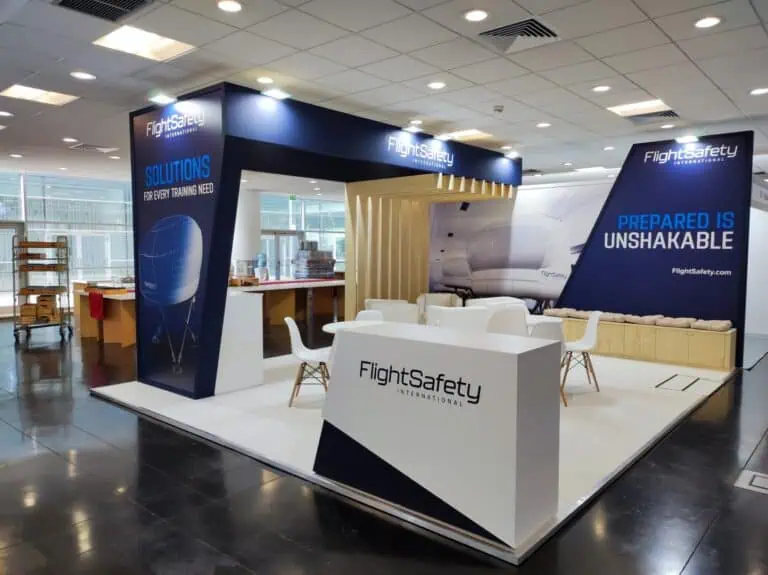
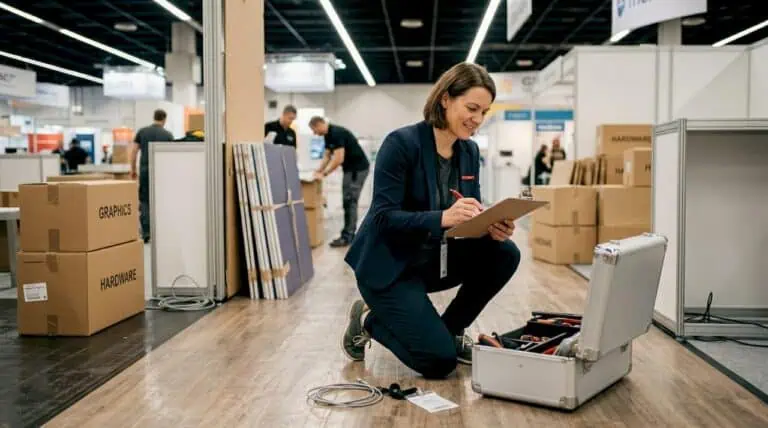
A Data Centre World Madrid exhibition stand should make a technical solution understandable and support useful project conversations. Start with the equipment or software you will show, the buyer questions it answers and your confirmed plot. Then plan demonstrations, meeting space, services, handling and delivery against the organiser’s current instructions, with a clear fallback for anything that cannot run live.
Data Centre World Madrid exhibition stand planning for 2026
Data Centre World Madrid takes place on 4–5 November 2026 at IFEMA Madrid, advertised in Halls 3–5 with public hours of 10:00–19:00. It is part of Tech Show Madrid. Use your allocation and the current floor plan for the actual stand location, rather than treating the hall label as a description of three consecutive pavilions.
The organiser’s 2026 programme covers subjects including cooling, energy, design and construction, investment, edge computing and AI. Those themes can help prepare your technical staff, but they do not tell you which session an individual visitor attended or what purchasing authority they hold.
Set an objective that the team can act on: explaining a cooling component, comparing power distribution options, demonstrating monitoring software or identifying a project requirement. A general promise to attract senior buyers leaves the designer without a clear activity to accommodate.
Choose the right demonstration for the equipment
A live system is useful only if it communicates something that a visitor needs to understand and can be operated appropriately at the event. A static section, sample connection, prepared visualisation or recorded sequence may explain a product more clearly than a running installation with distracting service requirements.
| Solution | Useful display or activity | Briefing questions |
|---|---|---|
| Racks and enclosures | Inspect access, layout and serviceability | What are the actual dimensions, weight, support and door clearances? |
| Cooling equipment | Explain a component or a reviewed demonstration loop | Is it static or operational, and which connections and containment need specialist review? |
| Power distribution and protection | Compare a safe display assembly and its documentation | What is energised, who is responsible and what operating restrictions apply? |
| Cabling and connectivity | Inspect samples and understand a routing example | Can the visitor see the connection clearly without disturbing installed equipment? |
| Monitoring and control software | Follow a fictional incident or management workflow | Which devices, accounts, screen positions and offline materials are required? |
| Design, construction or investment services | Discuss a project using a drawing or process example | Which materials support a conversation without exposing confidential client information? |
For each item, supply a technical sheet and state its presentation mode. Include packed dimensions, handling points and the intended final position. Identify the competent person who can answer equipment questions and approve any operational demonstration. A model number and catalogue photograph are not a complete installation brief.
Connect demonstrations to services and layout
Prepare a device and service schedule for the actual equipment. Separate lighting from demonstration loads, connection needs and audiovisual devices. Mark positions on the current drawing and have the responsible specialists review the requirements. Do not assume every machine needs the same power supply or that a package socket can support it.
Place the screen or exhibit so a visitor can understand it without blocking reception or the aisle. Keep working access, doors and service points available. Allow staff to explain the product beside the display, and provide a separate position for commercial or detailed technical discussions.
Prepare a demonstration account using fictional data and limit access to the functions needed. Keep a local presentation or recorded workflow available if the network or device fails. This fallback is part of the visitor experience, not an excuse to promise connectivity that has not been ordered and tested.
Select the stand format by its actual capability
Shell scheme, modular systems and bespoke construction should be assessed against the same exhibit schedule. Check the package inclusions, permissible attachments, furniture and service scope. Physical hardware does not automatically require bespoke construction, and a modular system does not automatically support the weight or fixings of a particular exhibit.
Use a drawn layout to test each option. A compact plot may work for a sample and focused conversations; a larger assembly may need space for access and observation. Avoid treating 9, 18 or 36 m² as a universal threshold for commercial success. Our modular versus custom guide provides questions for comparing delivery and reuse.
If the stand represents several technologies, use a clear hierarchy: what the solution does, who it serves and where to ask for detail. Multiple co-located events do not require a separate stand for each visitor badge. Reuse decisions should concern actual booked events and compatible layouts.
Plan from the organiser’s deadlines and access
Request the current exhibitor manual, technical submission route, service deadlines and installation timetable through your Tech Show Madrid organiser contact. The public opening date is not the move-in date. Confirm any plot-specific height, loading, hanging or demonstration requirements with the responsible event team.
Record the approved design, artwork, production, service orders, handling, freight arrival, installation and equipment testing as separate tasks. Assign an owner to each. For the approaching edition, establish what is already approved and what needs immediate resolution; a generic six-to-eight-week schedule does not establish permission to proceed.
Coordinate the unloading and positioning sequence before the floor and structures are completed around equipment. Name who receives each shipment, checks condition and reports discrepancies. Book the required handling with the appropriate provider and agree the packing storage and return arrangements.
Compare complete costs and responsibilities
Keep organiser space and participation charges separate from design, construction, graphics, furniture and installation. Add the actual services, audiovisual equipment, freight, lifting, storage, dismantling and waste scope. Mark provisional allowances and exclusions. Generic prices per square metre cannot determine the cost of a specific technical stand.
Ask who prepares the project documents, supplies equipment information, orders services and answers site queries. Identify the project lead and any delivery partners. Local availability may be useful, but neither a Madrid address nor an in-house claim eliminates freight delays or guarantees a better installation.
Evaluate reuse with a known next event, storage location and repair allowance. Compare transport volume, component changes and graphics renewal. The stand budget checklist can help ensure proposals include the same work.
Handover and technical follow-up
Inspect the stand before accepting it. Check approved graphics, furniture, access, cabinet operation, equipment positions and the systems within the agreed scope. Have the appropriate technical person test demonstrations. Keep a list of unresolved items with a responsible contact and an agreed response.
Brief the sales team on the demonstration and on when to involve a technical specialist. Record the project, application, constraints and next action that the visitor actually describes. Do not equate a scanned badge, senior job title or a short conversation with a qualified opportunity.
Assign follow-up to someone who can provide the promised drawing, specification, explanation or meeting. Handle personal data under the relevant notice and lawful basis. Review outcomes against the original objective and complete participation cost rather than assuming a live demo always outperforms a static exhibit.
Frequently asked questions
When is Data Centre World Madrid 2026?
It takes place on 4–5 November 2026 at IFEMA Madrid. Confirm your booked location and operative access periods with the organiser.
Can we bring operational hardware?
That depends on the equipment, technical review, approved services and event requirements. Define the proposed activity before deciding whether a live, static or recorded presentation is suitable.
Does the public opening date establish move-in?
No. Obtain the actual installation, goods movement and dismantling timetable for your booking, and share it with the freight and construction teams.
What should a builder receive?
The confirmed plot and package, current manual, equipment schedule, demonstration needs, meeting requirements and complete budget scope, with named technical and commercial decision-makers.
Discuss your Data Centre World Madrid brief
Adam Expo Stand can help assess the layout and delivery scope for your technical exhibits. Send your Data Centre World Madrid exhibition stand brief with equipment specifications, current approvals and the intended visitor activities to discuss a proposal.
Follow our exhibition planning guides
Choose Adam Expo Stand as a preferred source to help you find our exhibition guides and updates on Google.
Add as a preferred source on GoogleGoogle may ask you to sign in and confirm your choice.