


By Adam Dragos, Exhibitor Success Specialist · Sources reviewed 11 October 2026
Quick answer: QR codes for exhibition stands need two approvals: the printed code must scan in its real location, and the destination must complete the visitor’s intended task. Test the final artwork on representative phones, then check the mobile page, language, links and confirmation state before production.
Choose one destination that matches the invitation
Write the visitor action before generating the code. A product specification, meeting request and catalogue download are different tasks. Put a plain-language invitation beside the code so people can decide whether scanning is useful. Include a readable alternative address or another practical route.
Use a stable destination controlled by the business where possible. Record who owns the redirect or QR service, who can update it and whether any subscription is required. A code that depends on an unmanaged account can outlive its working destination.
Protect the code area in the print file
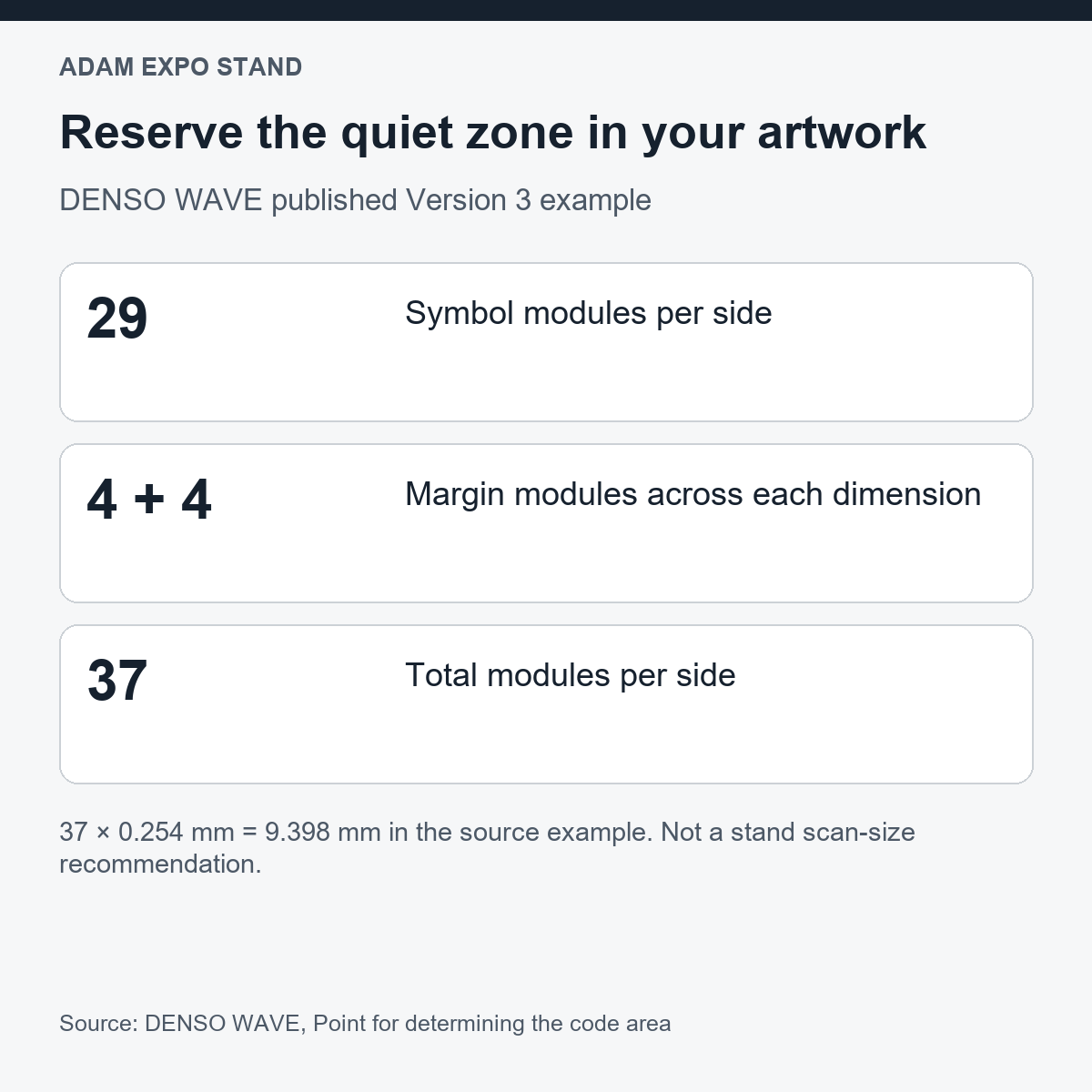
DENSO WAVE specifies a four-module clear margin around a standard QR Code in its code-area guidance. Keep adjacent lettering, borders and artwork outside that area. The example above shows why the total print footprint includes more than the visible patterned square.
Ask the artwork provider for the actual symbol dimensions and final output method. Test a production-representative sample at the intended position, distance, angle and lighting. Curved surfaces, reflections, folds and surrounding graphics deserve a real check; a successful scan from a screen does not approve the printed result.
| Test | Record | Pass condition to agree |
|---|---|---|
| Printed scan | Artwork revision, substrate, location and phones | Code consistently opens the intended destination in the test conditions |
| Destination | Final URL and any redirects | Correct page remains accessible |
| Language | Invitation and page language | Visitor can complete the task in the intended language |
| Mobile task | Content, links, form or download | Task completes on representative phones |
| Ownership | Account owner, renewal and fallback | Responsible person can maintain the route |
| Measurement | Campaign label and reporting owner | Metrics distinguish visits from completed enquiries |
Walk through the mobile experience
Scan as a new visitor. Check that the opening screen explains the promised resource or action. Confirm that text is readable, buttons work and downloads open. If a form is used, review labels, required fields, error messages and the final acknowledgement through an authorised test process.
For bilingual stands, use clearly labelled language choices or separate invitations with tested destinations. Do not assume the browser language always produces the right page. Check the route from both printed versions, including any redirect and the final language shown.
Measure the task, then preserve the route
A QR scan, landing-page visit and qualified enquiry are different outcomes. Agree the campaign naming and reporting method with the person responsible for analytics. Keep personal information out of printed URLs and use the business’s approved data-handling process.
Save the final code file, destination, print revision and test results with the artwork approval. Test again at installation and after any destination change. For reusable graphics, review the route before the next event so an old invitation still leads to a useful current page.
Video: stand design context
An Adam Expo Stand channel overview of stand graphics, shown as visual context for placing a tested QR invitation.
Frequently asked questions
Is there one QR size that works on every stand?
No single print size establishes reliable scanning in every setting. Test the real code, material, position, lighting and intended distance.
Does a successful scan prove the whole experience works?
No. Complete the promised task on the destination page and check the intended language, links and acknowledgement.
Include the tested QR file in the artwork sign-off. Explore Adam Expo Stand exhibition services.
Prepare the next step
Send Adam Expo Stand the intended visitor action, destination and proposed graphic location to coordinate the QR placement with the stand artwork. Discuss your stand brief.
Adam Expo Stand: exhibition stand design and build for European trade fairs. Find more exhibitor planning guides.
Follow our exhibition planning guides
Choose Adam Expo Stand as a preferred source to help you find our exhibition guides and updates on Google.
Add as a preferred source on GoogleGoogle may ask you to sign in and confirm your choice.


