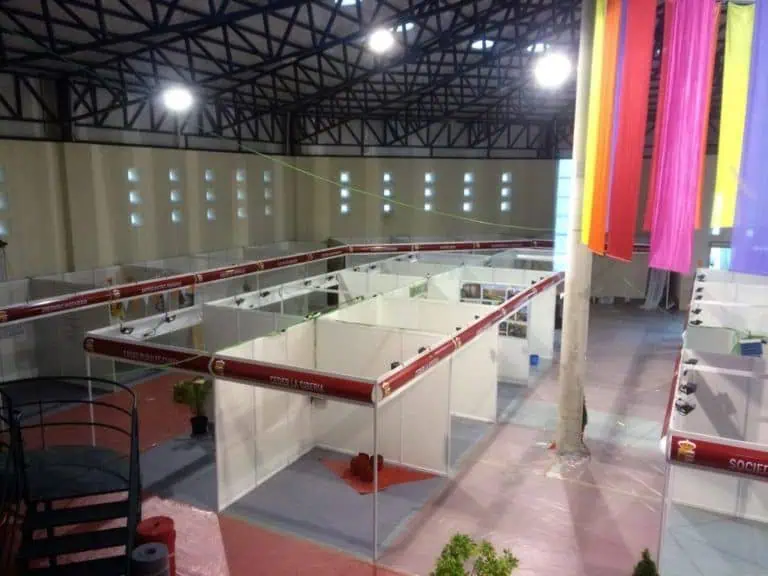
HR Expo 2026 Madrid takes place on 18–19 November in Hall 2 at IFEMA MADRID. Professional visitors can use the event to compare people-management solutions and attend relevant sessions. Exhibitors should connect their stand to a specific buyer task, with a reliable demonstration, clear staffing and an agreed next step for each appropriate enquiry.
HR Expo 2026 Madrid: dates, hall and opening hours
The official HR Expo website identifies Hall 2 at IFEMA MADRID. The organiser’s published visitor information gives the hours below. Details were checked on 12 October 2026; check your current event instructions before travelling.
| Day | Published visitor hours |
|---|---|
| Wednesday 18 November 2026 | 09:30–19:00 |
| Thursday 19 November 2026 | 09:30–17:00 |
The organiser states that last entry is one hour before closing. These visitor hours do not establish contractor access, deliveries or dismantling permission. Exhibitors need the separate operating and installation instructions for their booking.
The venue address is Avenida del Partenón 5, 28042 Madrid. Use IFEMA’s current arrival information for access and routes; it describes arrangements that can change with operations at the site. Confirm the event entrance and the route to your hall. A delegate arrival plan should not be used for a freight vehicle.
Professional registration and seminar access
The IFEMA event page states that the fair is for HR professionals, with free entry following advance registration. Evidence of professional activity may be requested; children are not admitted. Seminar seats cannot be reserved in advance and are allocated on arrival. Allow time for entry and moving between activities, without assuming registration guarantees a particular seat.
Use the registration route linked from the official event website. Check the details you receive and any relevant conditions. Exhibitor accreditation is a separate project requirement; do not assume a visitor registration covers installation, staff access or every activity your team plans.
Use the current programme to plan the visit
The 2026 conference programme is available, with filters for HR Expo, Accountex and Legal Tech Expo and separate days and rooms. HR content includes AI and data, people and talent, and the HR function. Check the actual session, speaker, day and room rather than relying on a general list of predicted trends. The programme also asks attendees to bring headphones for room audio.
Choose sessions that help answer a current decision. If you need a new HR system, leave time to compare vendors; if the priority is a people process, identify the relevant practitioner discussion. Record what you need to verify later. A talk or a supplier demonstration does not by itself prove a tool will work in your organisation.
Compare software using the same practical task
Prepare a short scenario before you reach the floor. For example, an HR team might need to review an absence request, pass an approved change to payroll or give a manager an appropriate report. Use the same scenario with each relevant supplier and note what happens at each step. These are illustrative evaluation tasks, not promises about a listed exhibitor’s features.
| Question | Evidence to request |
|---|---|
| Can the intended user complete the task? | A demonstration of the actual workflow and exceptions |
| What connects to existing systems? | Specific integration scope and responsibility |
| Who can see and change information? | Role settings, approval steps and a suitable test |
| What will implementation require? | Migration, training, support and dependencies |
| What is the complete cost? | Licence basis, setup, services, exclusions and renewal terms |
For AI features, ask what the function does, where a person reviews the result and what happens when it is wrong. Request appropriate documentation for your own technical, privacy and legal reviewers. Do not upload real employee or candidate records into an unfamiliar public demonstration to test it.
Capture answers and unanswered questions together. Separate a function shown in the demonstration from a feature proposed for later development. Agree the next evaluation step with the relevant internal owners before treating the floor conversation as a purchasing decision.
Make an exhibitor stand support the buyer’s decision
Choose one principal activity: a product workflow, an initial discovery conversation or a scheduled account meeting. Give visitors a clear way to identify the offer and ask for the relevant help. Avoid a wall of feature names that leaves the buyer uncertain where to start.
Place screens so that a visitor can follow the task without blocking the aisle or seeing another attendee’s private information. Test seating, reach, glare, sound and circulation with staff and equipment in use. A large screen is useful only if the content is readable and the presenter can operate it comfortably.
Plan meeting demand and staffing together. If all specialists attend a seminar at once, a reception counter cannot deliver a technical demonstration. Assign cover, breaks and an escalation route. Explain how visitors can arrange a later conversation when the appropriate person is unavailable.
Rehearse the demonstration and request handover
Use an approved demonstration environment with suitable sample data. Check accounts, permissions, connectivity, power, updates and reset steps. Prepare a released fallback presentation and identify who handles faults. Rehearse the actual equipment, rather than assuming a browser-based product will work on any venue network.
Agree what staff can say about integrations, delivery dates, security and commercial terms. Keep unconfirmed commitments out of the pitch. Assign specialist questions to an appropriate owner instead of improvising answers on the floor.
Test the approved enquiry process with dummy details. Confirm the receiving team, requested action and permitted follow-up. A badge scan is an activity record, not automatic evidence of buyer qualification or permission for any marketing message.
Check the stand scope and complete budget
Obtain the allocation, package, current manual and dated service deadlines from the organiser. Confirm plot dimensions, open sides, services and responsibilities before releasing production. Do not borrow heights or submission deadlines from another IFEMA event.
Compare written proposals covering design, structure, flooring, graphics, furniture, screens, power, network, transport, handling, installation and removal. Include staffing, travel and follow-up in the participation budget. Record taxes, exclusions, storage and the cost of late changes. An unsupported price per square metre is less useful than a complete quote for your actual scope.
The stand budget guide helps organise that comparison. For a constrained plot, use the small stand ideas guide to compare functions and layouts, then check them against the allocation.
Frequently asked questions
Which hall is identified for HR Expo?
The current organiser homepage identifies Hall 2. Confirm the latest entrance and plot details in your event information.
Are visitor opening hours also build times?
No. Obtain the applicable contractor and delivery schedule separately.
How should an exhibitor measure success?
Track completed relevant demonstrations, agreed next steps, accepted opportunities and total participation cost. Keep these measures separate from eventual sales and avoid treating every scan as a qualified lead.
Share a specific stand brief
When you contact Adam Expo Stand, send the confirmed plot, demonstration workflow, equipment, meeting needs, staffing, budget and deadlines. Request a physical scope with clear responsibilities that supports the actual buyer conversation.
Follow our exhibition planning guides
Choose Adam Expo Stand as a preferred source to help you find our exhibition guides and updates on Google.
Add as a preferred source on GoogleGoogle may ask you to sign in and confirm your choice.