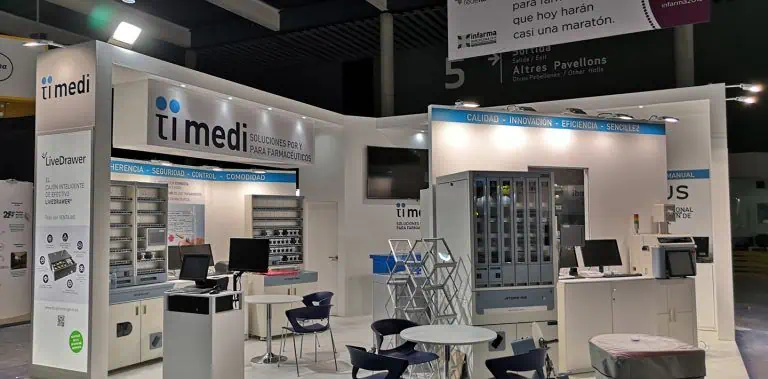
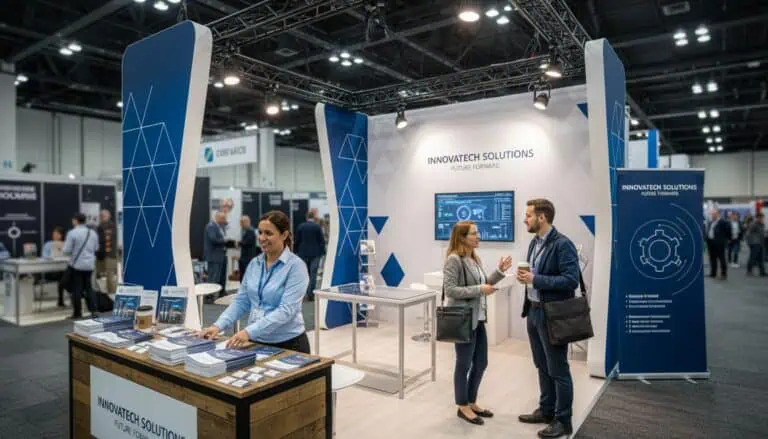
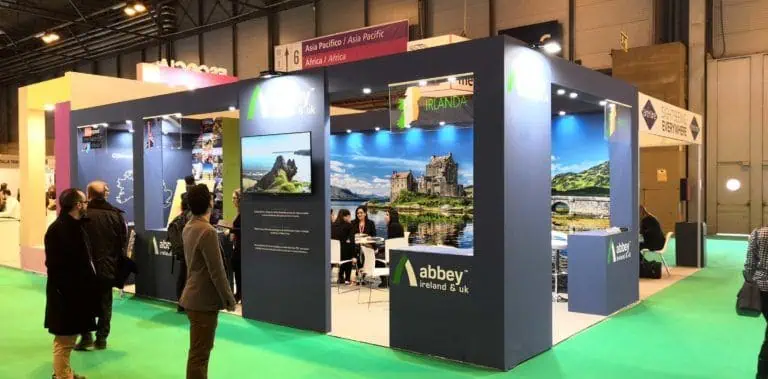
Experiential booth design plans a meaningful visitor activity alongside the space, content and people needed to deliver it. Start with what someone should understand, try or discuss, then review capacity, accessibility, services, costs and support. An immersive environment or interactive device does not by itself demonstrate better recall, more qualified enquiries or a financial return.
What makes an exhibition stand experiential?
An experiential stand gives visitors a planned role in an activity: inspecting a sample, trying a demonstration, configuring a product or discussing a scenario. The design supports that task and its explanation. Participation can involve a simple physical demonstration; it does not require a headset, large screen or elaborate themed structure.
Write the intended outcome in practical terms, such as understanding a product difference or agreeing a relevant follow-up. Avoid defining success solely as time spent on the stand. A lengthy activity that does not answer the visitor’s question may be less useful than a focused conversation.
For the wider visual and structural shortlist, use our exhibition stand design ideas. This guide focuses on planning, operating and evaluating the chosen experience.
Define a visitor task before selecting equipment
Describe the intended audience, question, action and useful next step. Identify the information or product needed to complete the task. Choose a communication method after those decisions, then compare alternatives against the same purpose.
| Possible activity | Planning question | What to test |
|---|---|---|
| Product demonstration | What will someone see or try? | Equipment, instructions, operation and reset |
| Sample comparison | Which difference should be understood? | Handling, lighting, labels and explanation |
| Product configurator | Which choices support a useful discussion? | Content, interface, output and fallback |
| AR or VR experience | What cannot be explained adequately another way? | Device, staff, access, content and turnaround |
| Guided scenario | What decision will the visitor explore? | Facilitation, materials and conversation space |
The table compares planning needs, not conversion rates or cost rankings. Request project-specific estimates and test the actual experience with representative participants. A film or physical model may answer the task more simply than an application that needs development and support.
Draw the activity in operation
Put the equipment, operators, participants, waiting visitors and reset tasks on a scaled plan. Review access, seating, storage, replenishment and service routes. Account for furniture in use and doors opening rather than assessing an empty rendering.
Consider how someone discovers the activity, understands the invitation, joins, participates, asks questions and leaves. The design need not force every visitor through the same route. Provide an alternative explanation where a person cannot or prefers not to take part.
Check whether the team can manage simultaneous tasks and breaks. Estimate operating capacity from a rehearsal using the proposed activity, preparation and reset process. Do not substitute a universal demonstration duration or staff-per-area rule for that exercise.
Our small-stand planning checks help prioritise activities when space is constrained. A smaller footprint requires a workable arrangement, not automatically taller branding or an interaction at the aisle edge.
Plan content, services and a fallback
Specify who produces and approves scripts, product information, films, interface text and language versions. Check factual accuracy, permissions and the intended audience. Keep approved content versions with the equipment and delivery records.
Ask the responsible providers to confirm power, connectivity, supports, lighting, audio and any specialist services. Test the intended content on the actual devices and review legibility, reflections and noise. Establish what staff will do if a network, screen or application fails.
AR and VR require a practical operating plan, including device setup, assistance, cleaning, waiting and an alternative means of understanding the message. Do not assume that a personal phone, visitor network or unattended kiosk will work for everyone.
Review sensory effects against the task and venue requirements. Sound, changing lights or scent can interfere with other activities or visitors’ needs. Agree the actual operation and restrictions rather than treating extra stimulation as evidence of better engagement.
Review technical requirements and supplier interfaces
Use the event edition and hall documents for the proposed structure and services. Fira Barcelona’s participation regulations provide an official starting point for its locations; confirm which requirements apply to the booked event and design.
Assign responsibility for the interfaces between the structure, AV, content, electricity and event team. Identify who provides drawings, approves equipment mounts, places service orders, installs, tests and supports each element. Keep specialist review and venue approval distinct from accepting the creative concept.
Assess the actual delivery team and service scope. An in-house label, local address or subcontracting arrangement alone does not prove quality, response time or environmental performance. Request named responsibilities, support hours, escalation contacts and the proposed fault-response plan.
Build a schedule around dependencies
Work backwards from opening and identify decision, production, service and approval deadlines. Ask each provider for the time needed for its actual scope. Content development, physical construction or approvals may control the schedule depending on the project; none is always the longest task.
- Agree audience, task, success criteria and provisional scope.
- Review the operating layout, technical requirements and service responsibilities.
- Approve content, artwork, equipment and relevant design information.
- Test the integrated activity and resolve faults before dispatch where practicable.
- Rehearse with the operating team and confirm fallback arrangements.
- Check delivery, equipment and agreed scope at handover before opening.
Record changes and their effect on price, services, approvals and delivery. Do not alter a reviewed structure or activity during the event without the appropriate responsible-team and organiser checks.
Compare complete costs and recovery arrangements
Include design, construction or rental, content production, software, licences, equipment, services, transport, handling, installation, operation, support, dismantling and return as applicable. Request inclusions and exclusions rather than using a generic price per square metre for an interactive project.
State whether equipment and content are rented, purchased or licensed, what may be reused and what later updates cost. Confirm recovery, storage and condition checks for retained items. Reusing a structure or device does not automatically establish financial payback or a quantified environmental benefit.
If the budget is constrained, compare fewer well-supported activities with a broader proposal using the same brief. A simple demonstration still has costs for equipment, people, services and space; it should not be described as almost free.
Agree data handling and evaluate the experience
Define which observations will show that the activity met its task: completion, understood product differences, relevant questions or an agreed next step. Record the measurement method, period and denominator. Participation, time spent, badge records and qualified enquiries are different measures.
Where personal data is collected, agree purpose, lawful basis, notice, access, retention and responsibilities. The EDPB’s lawful-processing guidance explains the requirements of different legal bases. Trying an activity or scanning a badge is not blanket permission for unrelated later marketing.
AUMA’s briefing guidance supports aligning objectives and responsibilities before delivery. After the event, review the activity against the agreed criteria and keep later attributed revenue and profit separate from participation statistics.
Questions about experiential booth design
Does an experiential stand need AR or VR?
No. A demonstration, sample comparison or guided discussion can provide a meaningful activity. Select technology where it helps answer the visitor’s question and the team can deliver and support it.
Will visitors staying longer prove that the stand worked?
No. Review whether they understood the intended message, completed a relevant task or agreed a useful next step. State how observations were collected and measure later business outcomes separately.
What should I send for a proposal?
Share the event, plot, audience, visitor task, products, equipment, content and budget assumptions through the Adam Expo Stand project enquiry form. Request an operating layout, responsibilities, tests, fallback plan and itemised scope.
Follow our exhibition planning guides
Choose Adam Expo Stand as a preferred source to help you find our exhibition guides and updates on Google.
Add as a preferred source on GoogleGoogle may ask you to sign in and confirm your choice.