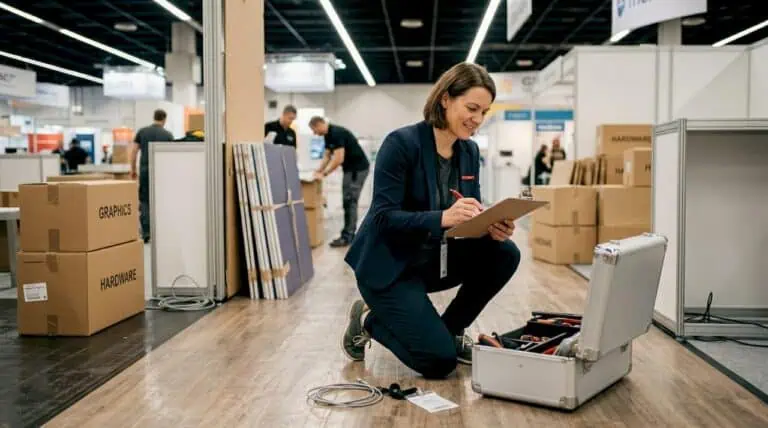
Fira Barcelona booth design begins with the exact event, venue, hall and booked plot. Confirm the current technical rules before fixing the layout, structure or equipment. Then connect visitor activities with services, deliveries, approvals and handover, so the stand works as a practical meeting and demonstration space throughout the event.
Identify the venue before designing the booth
Fira de Barcelona’s official venue information identifies Gran Via and Montjuïc and also its management of CCIB. These are different locations. Confirm the address and hall from the organiser’s current documentation rather than sending deliveries to a general Barcelona destination.
Obtain the plot drawing, dimensions, open sides and any columns or service features affecting the space. Check whether the booking includes a shell-scheme package or only the floor area. Ask for the precise inclusions before removing or duplicating items in your design budget.
Keep one project sheet with the event edition, venue, hall, stand number, organiser contact and relevant deadlines. Update it if the plot changes. A previous year’s plan can be useful background, but it should not become the installation team’s current instruction.
Turn visitor activities into a Fira Barcelona booth design
Choose what the visitor should do first: inspect a product, watch a demonstration, ask a short question or join a scheduled meeting. Put the most relevant activity within easy reach of the entrance and keep a clear route through the space.
A technology demonstration needs equipment access and viewing space. A distributor programme may need more meeting capacity. A food-related activity needs a separate operational brief covering the proposed service. Avoid fitting every possible feature into one plot without identifying which activity has priority.
Mark reception, demonstration, meetings and storage on the plan. Check how staff replenish materials and reach equipment without interrupting visitors. Use the actual furniture and exhibit dimensions rather than generic symbols that make the space look larger than it is.
Review technical requirements before approving the concept
Fira’s participation rules page links separate technical regulations for Gran Via and Montjuïc. Check the applicable venue document together with the organiser’s manual. Do not transfer one event’s construction limits or submission timetable to another.
Ask the builder to identify the design features that require review, permission or specialist input. These may concern the structure, suspended elements, equipment or proposed activity. Confirm who prepares the documentation, who submits it and who checks any conditions attached to approval.
Resolve these dependencies before production. If a feature is essential to the brief, establish an acceptable alternative in case it needs modification. Keep the approved drawing and subsequent changes under version control so the installation matches the agreed proposal.
Build an equipment and service schedule
| Item | Information to confirm |
|---|---|
| Lighting and screens | Equipment, mounting, connection needs and test arrangements. |
| Product demonstrations | Manufacturer requirements, operating clearances, handling and supervision. |
| Connectivity | Approved connection method, expected use and an offline fallback. |
| Food or hospitality | Permitted activity, service provider, storage, cleaning and utilities. |
| Overnight operation | Which equipment must remain powered and how the service is ordered and checked. |
Give the technical supplier the manufacturer information for each relevant item. Ask for a suitable connection and installation plan. The floor area alone is not enough to determine the power or other services needed.
Record who orders each service and whether it is included in the build quotation. Confirm order deadlines and any effect of late changes. Keep the final service schedule with the stand drawing so connection points and equipment positions remain aligned.
Plan delivery and installation together
Confirm the authorised delivery window, access process and receiving contact with the organiser or appointed logistics provider. Give the carrier the venue, hall, stand number and access instructions. Ask separately about unloading, lifting and storage of empty cases.
Map the build sequence around the exhibits. A heavy item may need to be positioned before adjacent walls or flooring are completed. Screens, service points and cables also need access before decorative finishes close the structure.
The stand assembly guide helps organise installation and handover responsibilities. For goods crossing a customs boundary, coordinate the inventory and return arrangements using the shipping and customs guide with your freight representative.
Use branding and technology to explain the offer
Give the stand one clear message that a visitor can understand before entering. Support it with approved product information and a demonstration that answers a relevant question. Decorative movement or a large screen should have a defined communication role.
Check text size, contrast and glare at the intended viewing distance. Caption video and keep an alternative explanation available if sound or connectivity fails. Review accessible approaches to counters, meetings and interactive elements with the designer.
Test the demonstration as staff will run it, including setup, reset and the next visitor’s arrival. Avoid a format that creates an unmanaged queue across the entrance or prevents other visitors from reaching the team.
Compare proposals and plan reuse carefully
Ask each supplier to price the same activity brief, equipment and services. Separate design, production, graphics, furniture, transport, labour, venue services and end-of-event work. Check exclusions and the process for approving variations.
For a reusable stand, identify the components retained, their proposed storage location and the next event configuration. Include inspection, refurbishment, new graphics and transport in the comparison. Local storage can be useful in some programmes, but the saving needs to be demonstrated with actual costs.
Use the exhibition budget guide to separate construction from wider participation costs such as travel, staffing and product logistics.
Prepare handover and daily operation
At handover, check the installed stand against the agreed scope. Test services, screens and equipment; verify graphics; walk the visitor route; and confirm that storage and replenishment work. Record unresolved issues and the responsible contact.
Brief staff on the demonstration, enquiry process and support arrangements. Agree how to handle changes during the show and who can authorise extra work. Keep access routes clear when replenishing materials or moving chairs between meetings.
After the event, record useful operational lessons and distinguish activity measures from commercial outcomes. Demonstration attendance, relevant enquiries and completed follow-up meetings answer different questions. None alone proves that the stand caused a sale.
Frequently asked questions
Can we reuse a design from Gran Via at Montjuïc?
Possibly, after checking the new plot, venue requirements and event rules. Do not assume that the previous configuration or approval transfers unchanged.
Does the builder order all Fira services?
Only if that responsibility is included in the agreed scope. Identify who orders and pays for each service before the relevant deadlines.
Should the booth include a large screen?
Use one when it supports a useful product explanation and the space can accommodate viewing, mounting and services. Test the content and keep an alternative presentation available.
Prepare your Barcelona stand project
Discuss your Fira Barcelona booth with Adam Expo Stand. Share the event edition, venue, plot drawing, equipment and visitor activities. Include the current organiser manual so design, services and installation can be coordinated from the same brief.
Follow our exhibition planning guides
Choose Adam Expo Stand as a preferred source to help you find our exhibition guides and updates on Google.
Add as a preferred source on GoogleGoogle may ask you to sign in and confirm your choice.