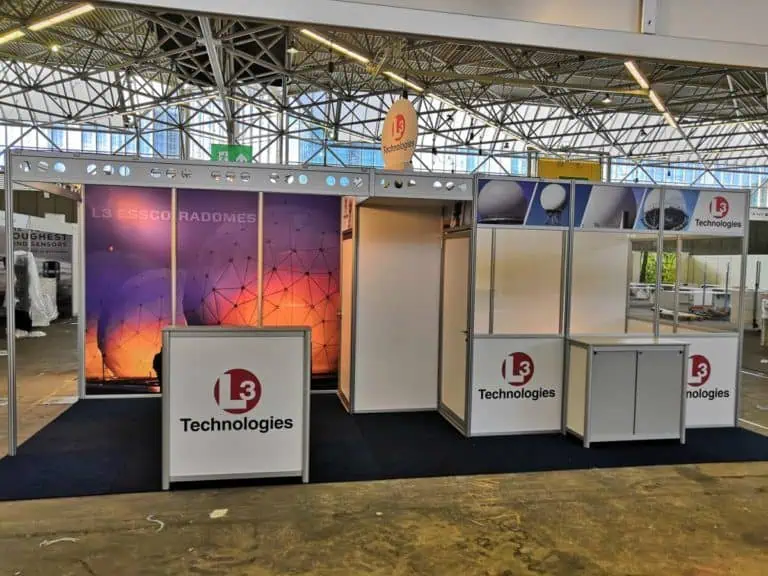
Trade show booth design ideas are most useful when they solve a specific presentation problem. Start with what visitors need to understand, examine or discuss, then choose the layout, graphics, lighting and equipment that support it. These ten ideas include practical checks to help you compare concepts before committing the stand budget.
Compare trade show booth design ideas against your brief
Give the designer your allocated plot, open sides, current event manual, product dimensions, planned activities, team size and budget scope. Identify the main conversation: a demonstration, specification review, partner meeting or product introduction. A visually striking concept still needs to work with the actual exhibits and services.
Review a dimensioned plan alongside the rendering. Mark entrances, products, staff positions, waiting space, storage and meeting furniture. Walk through a realistic busy moment before approving production. The ideas below are options to evaluate, not guaranteed ways to increase leads or sales.
1. Put one clear product message at the approach
Show the product category and the question it answers where approaching visitors can see them. Keep detailed specifications for a closer reading point. Test a graphic proof at its intended size and viewing distance, including the effect of people and furniture in front of it. A large logo alone may not explain an unfamiliar offer.
2. Let a representative product lead the layout
Choose the sample or assembly that best supports the main conversation. Establish its dimensions, mass, support and handling requirements before drawing the display. Leave room for the actions visitors will take, such as examining a connection, opening a compartment or comparing finishes. Mark what is operational and what is a visual representation.
3. Place a concise demonstration inside the stand
Define a beginning, one useful task and a result visitors can interpret. Put the demonstrator and audience on the plan so a small group does not occupy the aisle. Test the sequence with the actual equipment and prepare a suitable alternative if a connection or live process fails. The demonstration should answer a product question rather than merely occupy attention.
4. Create an obvious place to begin a conversation
A welcome position can make the first step clear without placing a counter across every open side. Check sightlines and staff movement, then decide whether standing discussion, a small table or an appointment point suits the activity. Avoid treating an entirely open layout as a universal solution; secure exhibits and some technical activities need defined boundaries.
5. Separate detailed meetings from active displays
Place meetings where participants can see relevant information and speak without competing with the main demonstration. Check chairs in use, access around the table and any screening proposed. Full enclosure may affect accessibility, services and approvals. Use the actual event requirements when assessing the design rather than assuming a closed room is permitted.
6. Use lighting to show the product accurately
Test representative materials and graphics with the proposed lighting. Inspect reflections on screens, shadows over product details and the appearance of finishes. Agree the electrical specification and installation responsibilities. Coloured or moving light can be appropriate to a particular presentation, but should not obscure information or be assumed permissible without checking event conditions.
7. Make a screen readable and useful
Choose the screen after defining its content and the distance at which visitors will use it. A specification viewer, a short video and a guided software demonstration need different arrangements. Check readable text, controls, captions where relevant, mounting, cable routing and reset behaviour. A screen showing an unrelated loop adds equipment without necessarily helping the visitor.
8. Give storage a defined inventory
List bags, coats, samples, consumables, packaging and equipment that need storage during opening. Check how they are reached while colleagues are demonstrating or meeting. Multifunctional furniture can help where its dimensions, capacity and stability suit the task. Do not assume a counter includes usable storage unless it appears in the specification.
9. Design reuse around identified components
Ask which frames, panels, furniture and displays will be retained, who owns them and how they will be packed. Test a future configuration against a realistic second plot. Add storage, transport, refurbishment and replacement graphics to the comparison. A modular stand can be useful across events, but neither automatic savings nor a measured environmental benefit follows from its label alone.
10. Keep the next step close to the conversation
Offer the relevant document, sample request, appointment or demonstration follow-up at the place where the need is discussed. Check printed details and digital destinations before opening. Use your approved process for contact information and record the agreed action. A giveaway or scan count should not substitute for knowing what a visitor needs.
Check the concept before approving production
| Review | Question to resolve |
|---|---|
| Purpose | Can the team explain the product and intended next step? |
| Space | Do exhibits, visitors and colleagues fit during the planned activity? |
| Technical scope | Who confirms construction, services, equipment and required approvals? |
| Budget | Are transport, handling, support and dismantling included or clearly excluded? |
| Handover | What will be tested and who records outstanding work? |
Keep the current event manual and written responses with the approved drawings. The small exhibition booth guide gives further layout checks, while the European budget guide helps compare the complete scope.
To discuss a concept with Adam Expo Stand, send your plot, products, planned activities and budget scope through the project contact form. Request a proposal that connects the visual design to the delivery specification and responsibilities.
Follow our exhibition planning guides
Choose Adam Expo Stand as a preferred source to help you find our exhibition guides and updates on Google.
Add as a preferred source on GoogleGoogle may ask you to sign in and confirm your choice.